


SOCKS vs HTTP Proxy: Differences, Features, and Use Cases

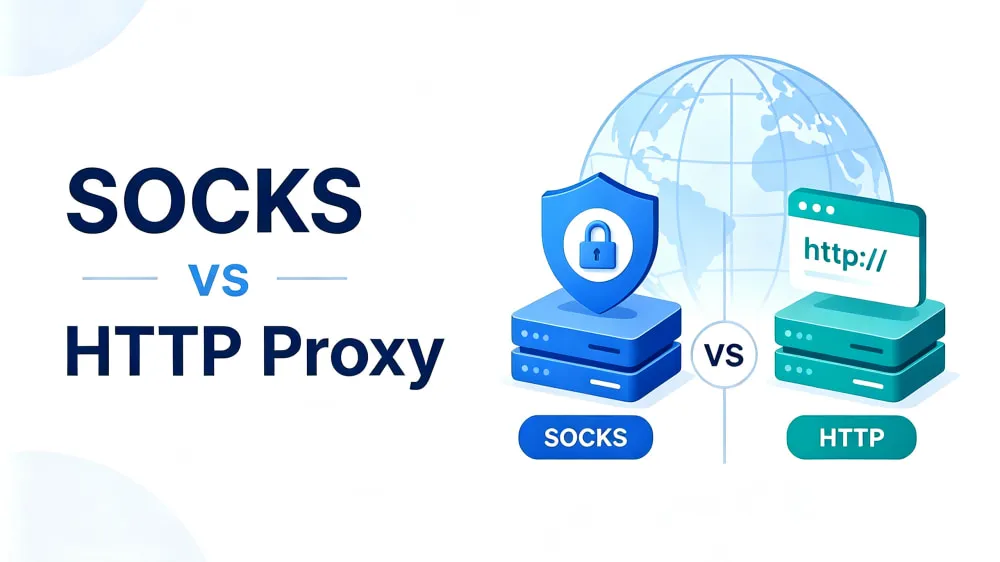
Choosing between SOCKS and HTTP proxies can be confusing, as both are commonly used to route traffic through proxy servers. Although they serve a similar purpose, they differ in how they handle connections, process data, and support different types of traffic. This guide compares SOCKS and HTTP proxies across key factors, including compatibility, data processing, security, and performance.
What Is an HTTP Proxy?
An HTTP proxy is a proxy server that handles HTTP-based traffic between a client and a destination server. It acts as an intermediary for web requests, forwarding communication between users and online resources through the HTTP protocol. Depending on its configuration, an HTTP proxy can also manage certain aspects of web traffic while keeping the user's original IP address hidden.
Here is an HTTP proxy format example:
http://username:password@ip:portHow Does It Work?
When a user sends a web request, the request is first routed to the HTTP proxy server instead of connecting directly to the destination server. The proxy forwards the request to the target server, receives the response, and returns the data to the user. This creates an indirect connection where the proxy handles communication between the client and the destination.
What Is a SOCKS Proxy?
A SOCKS proxy enables communication between a client and a destination server by forwarding network traffic through an intermediary server. It operates independently of specific application protocols, allowing it to handle different types of connections while forwarding data between both sides.
Here is a SOCKS5 proxy format example:
socks5://username:password@ip:port💡How Is SOCKS5 Different from SOCKS?
SOCKS refers to the overall proxy protocol family, while SOCKS5 is the latest widely used version of the protocol. Compared with earlier versions, SOCKS5 adds features such as authentication support and improved connection handling.
How Does It Work?
When a client connects to a SOCKS proxy, the proxy establishes a connection with the destination server and forwards traffic between them. Operating at a lower level, SOCKS can handle different types of network connections without being restricted to a specific application protocol.
SOCKS vs HTTP Proxy: What Are the Differences?
The table below provides a quick overview of how SOCKS and HTTP proxies compare across different factors.
Comparison Factor | SOCKS Proxy | HTTP Proxy |
Supported Protocols | TCP, UDP, and other protocols | HTTP/HTTPS |
Traffic Types | Various network traffic (web, email, streaming, etc.) | Web traffic (HTTP/HTTPS requests) |
Compatibility | Wider | Web-focused applications |
Traffic Filtering | Limited application-level filtering | HTTP traffic filtering |
Security | Authentication support (SOCKS5) | HTTPS encryption support |
Anonymity & Privacy | Higher privacy (no traffic inspection) | Good privacy (HTTP data processing) |
Speed | Generally faster | Faster for HTTP requests |
The table above gives you a quick look at how SOCKS and HTTP proxies differ. Let's explore each factor in more detail below.
Protocol Support and Compatibility
SOCKS proxies are built to support a broader range of network connections, including TCP and UDP-based communication. This allows them to work with different applications beyond web browsers. HTTP proxies, on the other hand, are designed around HTTP-based requests, making them more commonly used for browser-based activities and web applications.
Data Processing and Traffic Control
The main difference lies in how each proxy handles transferred data. SOCKS proxies simply relay data between the client and destination server, without analyzing the content itself. HTTP proxies can read HTTP requests and responses, which enables additional functions such as filtering, caching, and modifying request headers.
Security and Privacy Differences
Both proxy types can hide a user's original IP address, but their privacy features differ based on how they handle traffic. SOCKS proxies provide a simple forwarding process with less traffic inspection, while HTTP proxies may access HTTP request information during communication. Neither SOCKS nor HTTP proxies encrypt traffic by default. Encryption usually comes from HTTPS/TLS.
Performance Comparison
Proxy performance depends on factors such as traffic type, proxy quality, and network conditions. SOCKS proxies can provide efficient performance for different types of connections because they mainly focus on traffic forwarding. HTTP proxies can deliver faster performance for HTTP/HTTPS requests because they are optimized for web traffic. In terms of overall speed and efficiency, neither proxy type is always better.
Should You Choose SOCKS or HTTP Proxy?
The right proxy type depends on your specific needs, including the type of traffic you handle, application compatibility, and the features you require.
Choose a SOCKS proxy if you need:
Firewall and restricted access: SOCKS proxies are useful when applications need to connect through networks with access limitations or firewall restrictions.
Flexible application support: Supporting various network connections, SOCKS proxies are a practical choice for applications that require broader compatibility beyond standard web traffic.
Choose an HTTP proxy if you need:
Web data handling: HTTP proxies are commonly used for collecting, managing, and processing web data through HTTP-based requests.
Traffic control: Their ability to process HTTP requests allows users to apply controls such as filtering, request management, and access rules.
Scraping reliability: HTTP proxies help maintain consistent connections for web scraping tasks by supporting stable access to target websites.
Choosing the right proxy protocol is only part of the process. For most users, using SOCKS or HTTP/HTTPS proxies requires a proxy provider that offers support for these protocols along with reliable performance and flexible proxy options. IPcook provides SOCKS5 and HTTP/HTTPS proxy support across its residential, ISP, and datacenter proxy solutions. This gives you more flexibility when choosing the right proxy setup.
How IPcook Supports HTTP and SOCKS5 Proxy Requirements
IPcook Residential Proxies provide access to 55M+ real residential IPs across 185+ countries with support for HTTP(s) and SOCKS5 proxy protocols. This allows users to integrate proxies with different clients, automation tools, and applications based on their technical requirements. With customizable sticky sessions of up to 24 hours per IP, low latency, high uptime, and API support, IPcook helps users build reliable proxy workflows for tasks such as data collection, SEO monitoring, and account management.
For users who need more flexible proxy options, IPcook ISP Proxies and Datacenter Proxies also support HTTP(s) and SOCKS5 protocols. These proxy types provide unlimited traffic and no bandwidth limits across major locations, including the US, Japan, Canada, and Germany, making them suitable for different performance requirements.
More Features to Support Your Proxy Workflows:
High anonymity protection: IPcook proxies do not include proxy-related headers such as X-Forwarded-For or Via
Global IP coverage: Access residential IP resources across 185+ locations with flexible country and city targeting options for location-specific workflows.
Clean and compliant IP sources: IPs are sourced from real residential and ISP networks with compliance-focused acquisition practices.
High concurrency support: Each account supports 500 concurrent threads by default and can be scaled up to 100,000 concurrent connections for large-scale automation workflows.
Real-time proxy management: Monitor proxy usage, traffic consumption, and connection performance through an easy-to-use dashboard.
Flexible account management: Create up to 10 free sub-accounts for team collaboration and proxy access management.
FAQs
Which proxy is better, HTTP or SOCKS5?
Neither HTTP proxies nor SOCKS5 proxies are better in every situation. SOCKS5 is more flexible because it supports different types of network traffic, while HTTP proxies are designed for HTTP/HTTPS requests and web-based applications. The better choice depends on your specific requirements.
What is the difference between a SOCKS5 proxy and HTTP CONNECT?
SOCKS5 and HTTP CONNECT work differently. SOCKS5 is a proxy protocol that forwards network traffic through a proxy server, while HTTP CONNECT is a tunneling method used by HTTP proxies to create a connection for HTTPS traffic. SOCKS5 supports more types of connections, whereas HTTP CONNECT is mainly used for secure web communication.
Can HTTP proxies handle HTTPS traffic?
Yes. HTTP proxies can handle HTTPS traffic by using the CONNECT method, which creates a tunnel between the client and the destination server. The HTTPS connection remains protected by TLS encryption after the tunnel is established.
Does SOCKS5 encrypt traffic?
No. SOCKS5 does not encrypt traffic by default. It only forwards data between the client and the destination server, while encryption depends on the protocols used above it, such as HTTPS.
Is SOCKS5 faster than an HTTP proxy?
There is no fixed answer because speed depends on the traffic type, proxy quality, and network conditions. SOCKS5 may have lower processing overhead, while HTTP proxies can perform efficiently when handling HTTP/HTTPS requests.
Final Verdict
In the SOCKS proxy vs HTTP proxy comparison, both options serve different needs. SOCKS proxies are suitable for flexible connections beyond standard web traffic, while HTTP proxies work well for web-based tasks such as data collection and SEO monitoring. When selecting a proxy provider, consider reliable performance, protocol support, and flexible IP options. IPcook offers HTTP, HTTPS, and SOCKS5 proxy support across multiple proxy solutions to meet different workflow requirements.
