


What Is a Dynamic IP? How It Works and Differs from Static IP

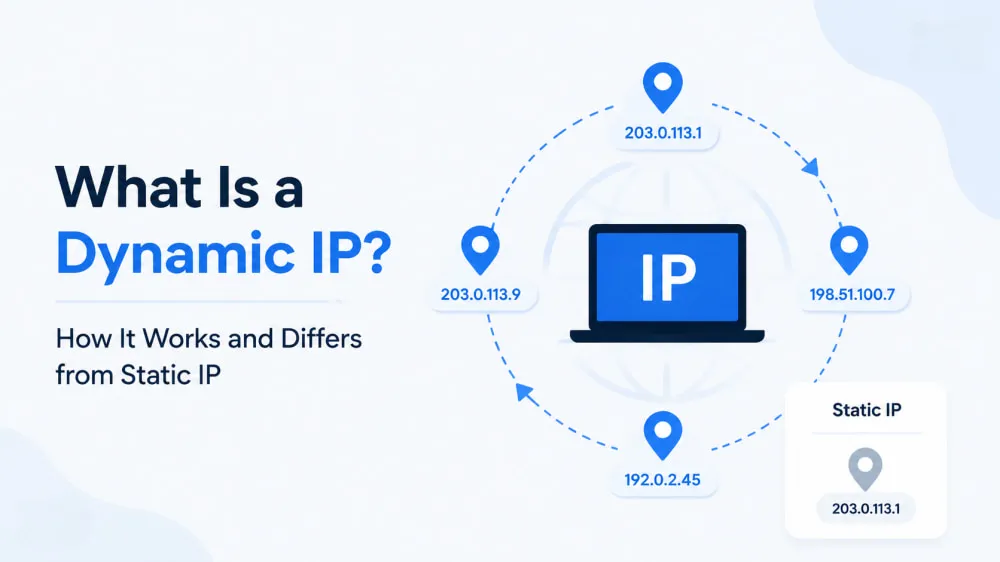
Every time you go online, your device needs an IP address to communicate over the internet. But not all IP addresses work the same way. Some remain the same, while others change automatically over time. A Dynamic IP address is one of the most common types, but how it works and why it changes are often less understood.
In this guide, we'll explore how a Dynamic IP address works, its key features, and how it compares with a Static IP address to help you better understand this everyday networking concept.
What Is a Dynamic IP Address?
A Dynamic IP address is an IP address automatically assigned by an Internet Service Provider (ISP) to a device or network connection. It is not permanently assigned to a single user and is managed dynamically based on network availability. This allows ISPs to optimize the use of limited IPv4 resources by reassigning available addresses when needed. Dynamic IP addressing is the most common method used for home internet connections and typically requires no manual configuration.
How Does a Dynamic IP Work?
When a device connects to the internet, the ISP automatically assigns an available IP address to the connection. This process allows the device to communicate online without requiring users to manually configure or maintain their public IP address. A Dynamic IP is typically assigned on a temporary basis, and the assigned address may change depending on network conditions or the ISP's management policies. This automatic allocation helps ISPs manage IP resources more efficiently.
How ISPs Assign Dynamic IP Addresses
Behind every Dynamic IP assignment is a system that helps ISPs organize and manage available addresses. DHCP (Dynamic Host Configuration Protocol) handles this process by selecting an address from the ISP's IP pool and assigning it to a connection for a specific period. This period is known as a DHCP lease. When the lease expires, the address can be renewed or returned to the pool for another connection, allowing ISPs to maximize address usage.
Why Does a Dynamic IP Address Change?
A Dynamic IP address can change for several reasons related to network management and connection status. Common triggers include:
DHCP lease renewal: When the lease period ends, the ISP may renew the same address or assign a different one.
Network reconnection: Disconnecting and reconnecting to the internet can result in a new IP assignment.
Router reconnection: Restarting a router or reconnecting it to the ISP network may trigger a new address allocation.
ISP address management: Providers may adjust IP assignments based on their network configuration and resource availability.
There is no fixed schedule for when a Dynamic IP changes. The frequency depends on the ISP's settings and address management policies.
Benefits and Limitations of Dynamic IP Addresses
Dynamic IP addresses offer a practical way to manage internet connections, especially for everyday users and large-scale networks. However, this approach also comes with certain trade-offs depending on how the IP address is used.
Benefits of Dynamic IP:
Automatic configuration: Dynamic IP eliminates the need for manual IP setup, reducing network management efforts.
Simpler network administration: Automatic address assignment makes network configuration less complex, especially for large numbers of connections.
Better IP resource utilization: ISPs can efficiently reuse available addresses, which is especially valuable with limited IPv4 resources.
Limitations of Dynamic IP:
Limited control over the IP address: Users usually cannot decide when their IP changes or which address they receive.
No guaranteed long-term IP consistency: The assigned address may change over time, making it unsuitable for services that require a fixed IP.
Less stability for certain applications: Without a permanent public IP, some remote access, hosting, or IP-based services may require additional configuration.
Dynamic IP vs Static IP: What's the Difference?
Dynamic IP and Static IP are the two main types of IP addresses. A Dynamic IP is automatically assigned by an ISP and may change over time, while a Static IP remains fixed. Understanding dynamic IP vs static IP can help you understand how each type affects your connection and which option best suits your needs.
Comparison Factor | Dynamic IP | Static IP |
Key Feature | Flexible IP assignment | Consistent IP identity |
IP Behavior | Change over time | Remains the same |
Management | Managed automatically by ISP | Fixed configuration |
Availability | Home internet connections | Specific needs |
Which Is Better: Static or Dynamic IP?
There is no clear winner between Dynamic IP and Static IP. The better choice depends on how you use your network.
Dynamic IP is usually suitable for:
Home internet connections and personal networks
Everyday devices such as computers, smartphones, and smart home devices
Common activities like browsing, streaming, and gaming
For most users, Dynamic IP provides everything needed for regular internet access without requiring a fixed public IP address.
Static IP is usually suitable for:
Hosting websites, servers, or other externally accessible services
Remote access to devices such as office computers or NAS storage
Business networks and applications that require a consistent IP address
If you only need everyday internet access, Dynamic IP is usually sufficient. Static IP is better suited for situations where a fixed address is important for ongoing access or network management.
How to Change or Get a Different IP Address
Since Dynamic IP addresses can change over time, you may want to get a new IP address or use a different IP address for specific needs. Several methods can help you change or access another IP address, depending on your goal.
Reconnect your network or restart your router: Reconnecting to the internet or restarting your router may result in a new Dynamic IP. However, whether your IP changes depends on your ISP's address assignment process.
Contact your ISP: Your ISP can help check your current IP information or adjust your network settings based on your connection requirements.
Use a VPN: A VPN changes the public IP address visible to websites by routing your traffic through a VPN server. It is commonly used for privacy protection and accessing content from different regions.
Use a Proxy: A proxy routes your requests through another IP address, allowing websites to see the proxy IP instead of your original connection. Compared with simply refreshing your ISP-assigned IP, proxies provide more flexibility when you need different IP addresses or more advanced IP management.
Among these methods, VPNs and proxies are commonly used to change the IP address visible to websites. VPNs are often used by individual users for privacy and location changes. Proxies are commonly used by businesses and professionals who need multiple IP addresses or more flexible IP management.
Use Proxy Services for More Flexible IP Access
A Dynamic IP can change automatically, but you cannot decide when the change happens or which IP you receive. Proxy services give you more control by letting you choose IP locations, switch addresses when needed, and manage multiple IPs for different requirements.
IPcook is a proxy provider offering different proxy IP solutions, with Dynamic Residential Proxies as one of its main offerings. IPcook Residential Proxies include the following features:
55M+ residential IPs across 185+ locations: Access residential IPs from different regions through a large global IP pool.
Real residential IP sources: IPs come from real residential users or ISP networks.
Flexible IP rotation: Rotate IPs by request or time intervals based on your requirements.
Custom sticky sessions: Maintain the same IP session for up to 24 hours when needed.
HTTP and SOCKS5 support: Compatible with different clients and automation tools.
Team management and monitoring: Add sub-accounts, assign permissions, and track traffic usage with detailed reports.
Customized technical support: Get tailored anti-bot solutions and technical assistance to optimize scraping performance.
IPcook also offers static ISP Proxies and Datacenter Proxies with stable connections, low latency, and up to 99% uptime. Both support HTTP(S) and SOCKS5 protocols with unlimited traffic. To get started, new users can try IPcook with 100MB of free Dynamic Residential Proxy traffic.
FAQs
What is a dynamic IP internet connection?
A dynamic IP internet connection uses an IP address that is automatically assigned by your ISP. The address can change over time based on network settings and ISP management.
How long does a dynamic IP address last?
There is no fixed duration. A Dynamic IP usually remains assigned through a DHCP lease, which may be renewed or changed depending on your ISP's policies and network conditions.
Can dynamic IP addresses be tracked?
A Dynamic IP can be tracked similarly to any other IP address. However, since it may change over time, linking activity to the same IP address can be more difficult.
Summary
A Dynamic IP is a practical choice for most everyday internet connections. However, when you need more control over IP locations, rotation, or multiple IP addresses, a standard Dynamic IP may not be enough. Proxy solutions provide a more flexible way to access different IPs based on specific requirements. IPcook offers Dynamic Residential Proxies with real residential IPs, flexible rotation, and broad location coverage for users who need more control over IP access.
