


Whoer.net IP Checker Review 2026: How It Tests Your Proxy IP

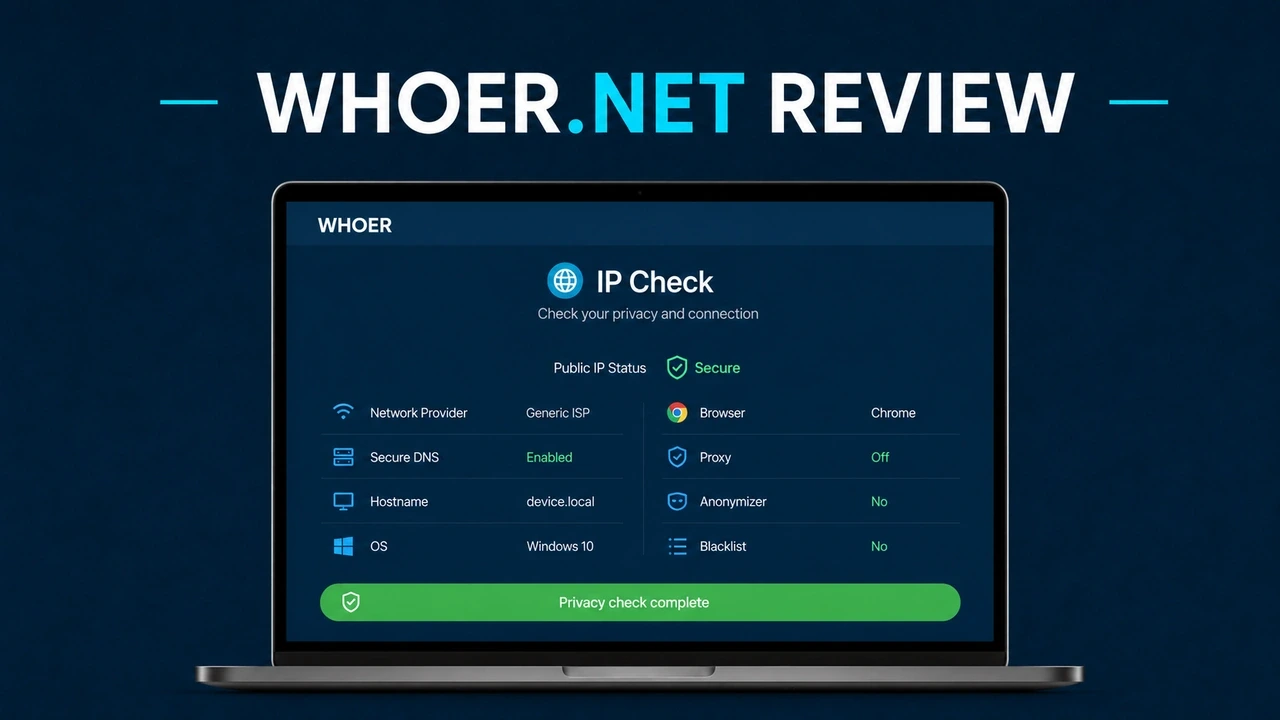
You set up a proxy or VPN, and your first instinct is to confirm it’s working. Like most people who care about online privacy, you probably pull up Whoer.net: free, browser-based, and fast enough to return a result within seconds. Most people land on it, glance at a percentage score, and move on.
But here’s what almost nobody stops to ask: What does that “anonymity score” actually measure? Why isn’t it 100% even when your proxy is functional? And should you ever treat it as a benchmark of proxy quality?
This review will walk through how Whoer.net works, what each check actually tells you, the most common reasons your score isn't 100%, and how to interpret what you see.
What Is Whoer.net
Whoer.net is a browser-based privacy diagnostic service. You visit it, and within a few seconds it analyzes your connection and returns a report on what websites can see about you, including your IP address, location, ISP, DNS servers, browser environment, and more. The headline output is a percentage-based anonymity score summarizing how consistent and trustworthy your digital fingerprint appears.
If all your connection parameters line up, the score is high. Your IP, timezone, browser language, and DNS servers should point to the same geography and look like a real user. When mismatches appear, such as a German IP paired with an Asian timezone, the score drops and Whoer flags what looks off. That is what makes Whoer more useful than a basic “what is my IP” lookup. It shows the full picture of what a website sees the moment you connect.
What Can Whoer.net Check
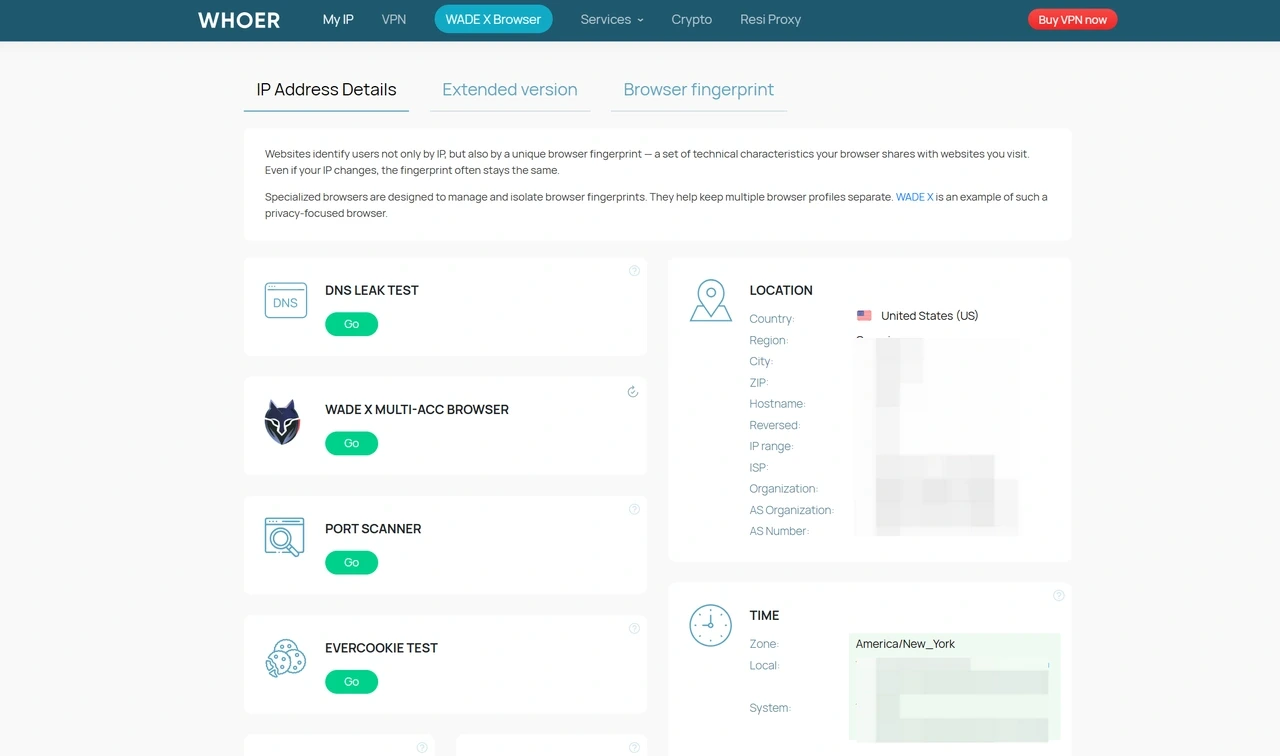
Here's a breakdown of each module and what Whoer.net actually measures:
Check | What It Does |
IP Address & Location | Shows your public IP, country, city, ISP, organization, and AS number. Confirms whether the IP appears in the location and network you expected. |
Proxy / VPN Signals | Shows whether your connection appears to use a proxy, VPN, or anonymizer. The ISP, organization, and AS number help you judge whether the IP looks like a real ISP or residential-style connection, or a hosting network. |
DNS Leak Test | Checks whether DNS requests are routing through the expected path instead of your real ISP. A DNS leak can expose your location even when your visible IP has changed. |
WebRTC Leak Detection | Tests whether your browser's WebRTC is exposing your local or real IP outside the proxy or VPN connection. |
Browser Fingerprint | Reviews signals such as Canvas, WebGL, fonts, screen resolution, timezone, and language. These affect how consistent and trackable your browser environment looks. |
Anonymity Score | A percentage based on how consistent your IP, DNS, browser, and system signals appear. Lower scores come with flags identifying what looks inconsistent. |
Speed Test | A basic connection speed check. Useful for comparing proxy performance against your baseline, but not a substitute for real-world throughput testing. |
How to Use Whoer.net to Check Your Proxy IP
Whoer.net works best as a quick pre-session check. Open it before starting any proxy-dependent task. It takes under a minute and can catch problems that would otherwise waste hours.
Step 1: Confirm your proxy IP is active
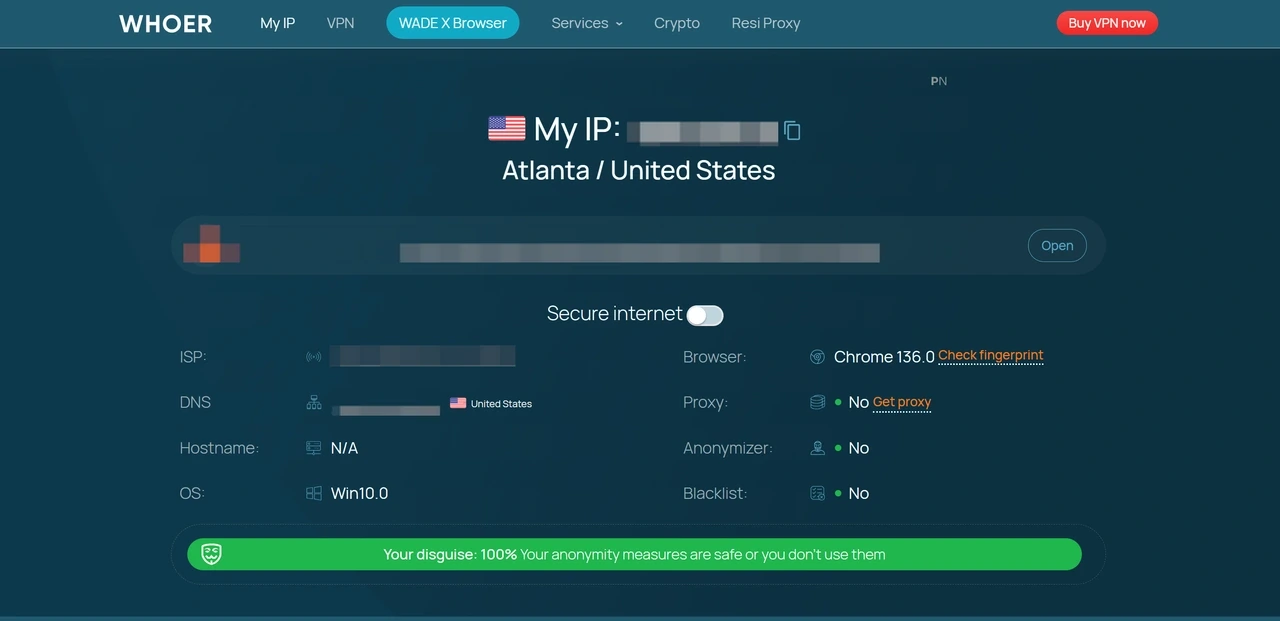
Open your browser and visit Whoer.net. Look at the IP, country, and ISP shown. They should match your proxy settings, not your real location. Also check the ISP name. A residential proxy should usually show a legitimate telecom or internet provider, not a hosting company or cloud ASN.
Step 2: Check the DNS section
The DNS servers listed should match your proxy's country or expected route. If they show your real ISP's servers instead, your DNS is leaking. Fix your system DNS settings or use a setup that handles DNS routing properly.
Step 3: Check the WebRTC section
If your real IP appears here, your browser is leaking it even though the proxy is active. Disable WebRTC in your browser settings, or use a browser that handles this automatically.
Step 4: Review your anonymity score
A score in the 85–95% range is usually fine for basic verification. If it drops below 80%, Whoer will usually flag what is causing the issue. Fix those items one at a time instead of guessing.
If your score is 100% but you are still getting blocked on a target site, the issue is likely beyond what Whoer can detect.
Why Your Whoer.net Anonymity Score Is Not 100%
Getting a perfect score is harder than it looks. The score drops when Whoer detects inconsistencies between your connection parameters. Here are the most common causes:
Timezone mismatch is one of the most common reasons. If your proxy IP is based in the US but your browser or OS timezone is set to a different region, Whoer flags it. Set your timezone, or your browser timezone if you use an anti-detect browser, to match the geography of your proxy IP.
Browser language mismatch works the same way. A German proxy IP paired with
Accept-Language: en-USlooks inconsistent. Your browser language should match the country your IP appears to come from.DNS server mismatch is effectively a partial leak. If your DNS requests are handled by servers in a different country than your proxy IP, that inconsistency reduces the score. It is worth fixing regardless, because DNS leaks can expose real location signals.
Proxy headers being forwarded is a subtler problem. Poorly configured proxies may pass headers such as
X-Forwarded-For, which can reveal that the connection is proxied. Well-configured residential and ISP proxies should behave more like normal user connections, without proxy-identifying metadata.
🔥 Want to score higher on Whoer? Try IPcook.
Get ethically sourced residential proxies with accurate geo-targeting across 185+ countries. Start with a 100MB free trial and verify on Whoer.net.
WebRTC leaking the real IP will significantly lower the score, because your actual IP may appear alongside your proxy IP. This is a browser-level issue, not always a proxy issue. Disable WebRTC or use a browser environment that manages it automatically.
Browser fingerprint anomalies can also contribute. Unusual Canvas or WebGL values, uncommon font sets, screen settings, or OS inconsistencies can make your browser environment look less coherent.
Whoer's score is a consistency check, not a proxy quality rating. A high score means your setup looks coherent. A low score points to something misconfigured. Neither number tells you whether the IP will perform on your actual target platform. That depends on IP reputation, behavior patterns, and platform-specific detection logic that Whoer cannot see.
What Are Whoer.net's Limitations?
Whoer.net is a snapshot, not a track record. It checks your connection right now, with no visibility into an IP's history — abuse reports, platform-specific ban lists, or previous user behavior. A burned IP can score 100% and still get blocked. A clean score also does not predict anti-bot outcomes. Platforms running Cloudflare, Akamai, or DataDome use detection methods far beyond what Whoer tests, including request timing, TLS fingerprints, cookie history, and behavioral signals. IP reputation is site-specific and opaque, and Whoer has no access to those internal databases.
False positives can occur. Some clean residential IPs get flagged by Whoer's heuristics but perform fine in practice. If the target site works, trust the real-world result.
Do not rely on Whoer alone for blacklist checks. Results can be inconsistent, especially with residential and mobile IPs. Use dedicated tools like Spamhaus, MXToolbox, or AbuseIPDB for a clearer check.
Best Whoer.net Alternatives and Companion Tools
These alternatives and companion tools can help you verify IP details, DNS leaks, browser fingerprints, and blacklist status from different angles.
WhoerIP.com is one of the closest alternatives to Whoer.net in terms of interface and purpose. It offers a clean IP checker interface, privacy scoring, and basic anonymity checks, making it useful when you want a quick second opinion on your Whoer result.
WhatIsMyIPAddress is a simple IP lookup tool with basic proxy/VPN detection and blacklist checking. It works well for cross-checking IP location, ISP details, and reputation signals.
DNSLeakTest focuses specifically on DNS leak detection. Use it when Whoer shows a DNS mismatch or when you want a more dedicated DNS check.
BrowserLeaks is best for deep browser fingerprint analysis. It breaks down individual parameters such as Canvas, WebGL, AudioContext, fonts, screen details, and browser APIs. It is less beginner-friendly than Whoer, but useful when you need to identify the exact fingerprint element causing an issue.
Pixelscan provides a consistency score with detailed fingerprint analysis. It is especially useful for checking whether an anti-detect browser profile looks internally coherent.
Final Verdict
Whoer.net is free, fast, and covers what matters most for proxy verification: IP location, DNS leaks, WebRTC exposure, and fingerprint consistency. The anonymity score is a convenient summary, and when something looks off, Whoer usually points you toward the issue.
The key limit is that Whoer measures consistency, not total real proxy quality. A clean score does not guarantee that an IP will perform well on a target site, survive rate limits, or avoid platform-specific detection.
If you need proxies that hold up beyond a diagnostic check, IPcook offers high-quality residential proxies with accurate geo-targeting across 185+ countries, a large IP pool, and 99.99% uptime.
Use Whoer.net to confirm your configuration looks clean. Use reliable proxies to make sure it actually holds up.
