


8 Best Web Crawlers for SEO, Scraping, and Other Projects


Calling all tech professionals, SEO experts, data analysts, developers, and AI builders. Suppose your work involves dissecting website structures, extracting critical data, or automating tasks like SEO audits, price tracking, content aggregation, or training AI models. In that case, you know a reliable tool to crawl a website is essential. With countless options flooding the market, finding the right fit can be overwhelming.
That's why we've handpicked the 8 best web crawlers tailored to specific needs. For heavy-duty scraping, solutions like Apify, Browse AI, and ScraperAPI excel. Developers often lean toward open-source powerhouses—Scrapy remains the best free web crawler, while Colly delivers blazing speed in Go. For deep SEO insights, DeepCrawl and Oncrawl are unmatched, and beginners find Octoparse incredibly intuitive. Whatever your goal, there's a best web crawler designed for it.
Critical note: To maximize success and safely crawl nearly any site at scale, pairing your chosen tool with IPcook's robust proxy network is a game-changer.
❓ Related Reading:
Web Scraping vs Web Crawling: Differences & Real Use Cases
What Is a Web Crawler and Why You Need One
A web crawler is an automated bot that systematically browses the web—scanning pages, extracting links, and indexing content. It's essential for scaling data discovery and automation, helping you:
Build a web crawler to map site structures
Master scraping data for real-time insights
Unlock SEO audits, research, and competitive intelligence.
💡 Best web crawling solution:
For efficient, large-scale operations, combine the best web crawler software (like Apify or Scrapy) with IPcook's proxies—the ultimate pairing among best web crawling tools for security and coverage.
How to Choose the Best Web Crawling Tools & Quick Comparison
Choosing among top web crawlers requires matching tools to your project's needs. Key factors include:
Functionality (data scraping, SEO analysis, monitoring)
Technical accessibility (no-code vs. developer-level)
Anti-blocking capabilities
Budget constraints
Compare leading options below—then unlock maximum potential with our pro tip:
Tool | Pros | Cons | Ease of Use | Rating (5★) |
|---|---|---|---|---|
Apify | Cloud automation, integrations | Complex setup | Medium | ★★★★☆ |
Browse AI | Intuitive, browser automation | Basic data extraction | Easy | ★★★★☆ |
ScraperAPI | IP rotation, CAPTCHA solving | Minimal GUI | Medium | ★★★★☆ |
Scrapy | Free, Python customization | Coding expertise needed | Hard (devs) | ★★★★★ |
Colly | High-speed Go performance | Go knowledge required | Hard (devs) | ★★★★☆ |
DeepCrawl | Enterprise SEO audits | Premium pricing | Medium | ★★★★★ |
Oncrawl | SEO data visualization | Steep learning curve | Medium | ★★★★☆ |
Octoparse | Drag-and-drop workflows | Limited scalability | Easy | ★★★☆☆ |
Optimize any web crawlers with IPcook, the best proxy for web scraping. This combo ensures 99%+ success rates, especially for advanced tactics like web scraping with Playwright.
👍 IPcook – Best Proxy Provider to Power Your Web Crawling Projects
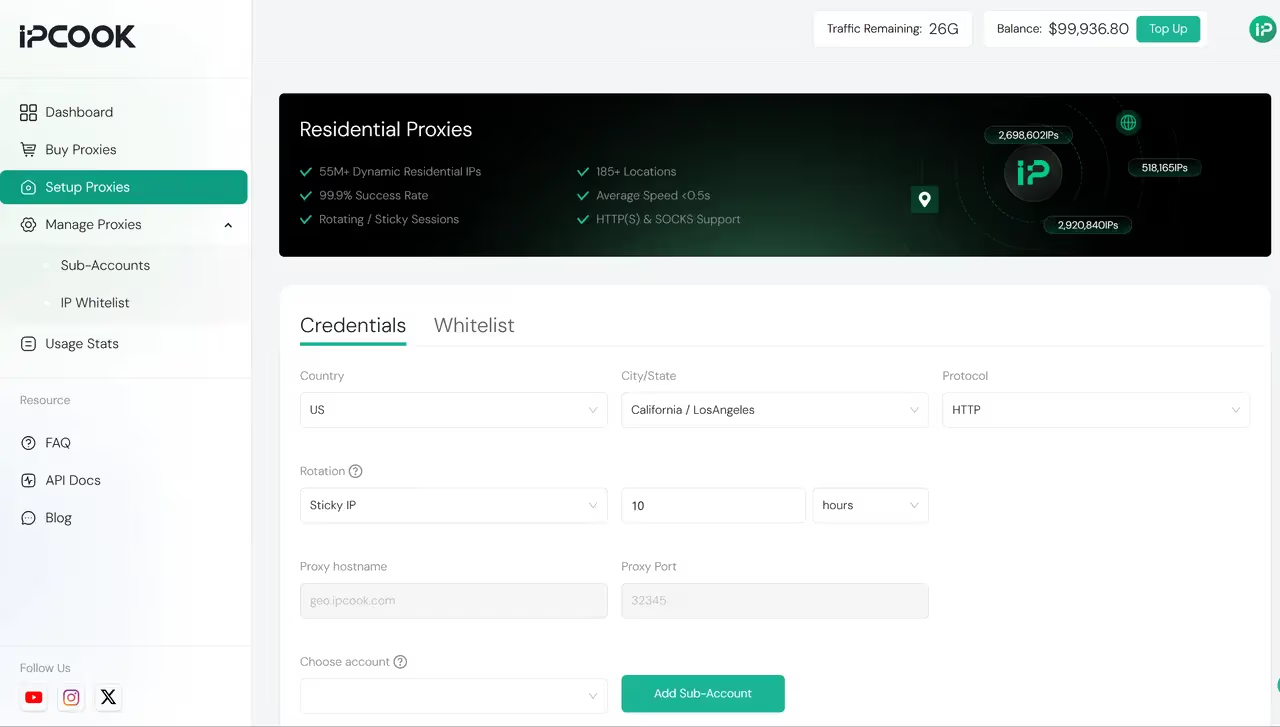
Before using your ideal web crawling solution, empowering it with robust infrastructure becomes critical. This is where IPcook emerges as the essential companion—the best proxy provider engineered explicitly to supercharge crawling projects.
IPcook stands out as the best tool for using web crawlers thanks to its vast pool of dynamic residential IPs covering over 185 locations. With a large volume of clean, high-quality IP addresses, IPcook significantly reduces the risk of detection and blocking by target websites. Supporting both IPv4 and IPv6 protocols, as well as HTTPS and SOCKS5 proxies, it delivers millisecond-level latency and 99.9% uptime, ensuring a smooth and reliable crawling experience.
What truly sets IPcook apart is its intelligent automatic IP rotation combined with customizable rotation strategies. This flexibility helps users bypass geo-restrictions and anti-bot defenses seamlessly, making it an indispensable tool to crawl websites at scale. Whether you're monitoring prices, mining social media data, or performing global ad verification, IPcook acts as the invisible wings powering your site crawler, boosting success rates and scaling capabilities.
Pros:
Massive, clean residential IP pool spanning 185+ locations
Supports IPv4, IPv6, HTTPS, and SOCKS5 protocols
Customizable IP rotation strategies to evade bans and geographic blocks
Low latency and high availability (99.9%)
Ideal for large-scale, high-stakes crawling projects
Cons:
Advanced features and large-scale access may require paid plans
With IPcook powering your crawling projects, you gain a powerful edge in accessing web data reliably and at scale. Its robust IP infrastructure lays a solid foundation for any crawling tool or custom solution you choose to build. Try it now to start your data discovery journey!
3 Best Web Crawlers for Data Extraction and Web Scraping
When your workflow lives and breathes by efficient data extraction, these three purpose-built web crawlers deliver exceptional scraping capabilities. Apify powers through complex data workflows with cloud automation, while Browse AI makes visual monitoring accessible through an intuitive no-code design. For projects demanding heavy IP rotation, ScraperAPI handles proxy-heavy lifting effortlessly.
Exploring open-source alternatives or SEO-focused solutions? Check out our dedicated sections for developer tools or SEO crawlers down below in the next part!
1. Apify – Best Cloud-Based Web Crawler for Data Workflows
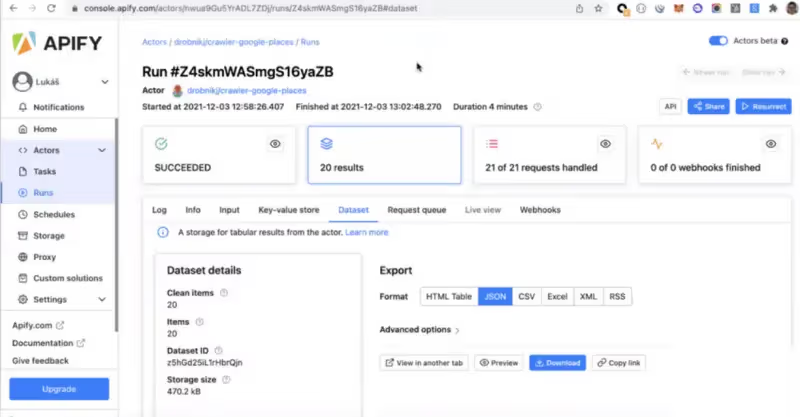
Picture this: You need to grab data from modern interactive sites – think real-time pricing, social feeds, or inventory trackers. That's where Apify shines as your cloud-based extraction ally. This platform masters web scraping dynamic content by letting you choose: either click together data flows visually, or code custom crawlers in JS/Python.
Perfect for mixed-skill teams. Data engineers love its schedulable, serverless pipelines that grow with their needs. Business users deploy no-code scrapers for daily price monitoring in minutes. And that library of prebuilt "Actors"? Pure gold – 1,000+ templates for instant deployment.
Heads-up though: While the free tier handles light work, complex jobs demand paid plans. And to really bend its capabilities? You'll want coding chops for advanced tweaks. Still, when you need an all-in-one solution from capture to export – especially for JavaScript-heavy targets – Apify's tough to beat.
2. Browse AI – Best for No-Code Web Crawling and Monitoring
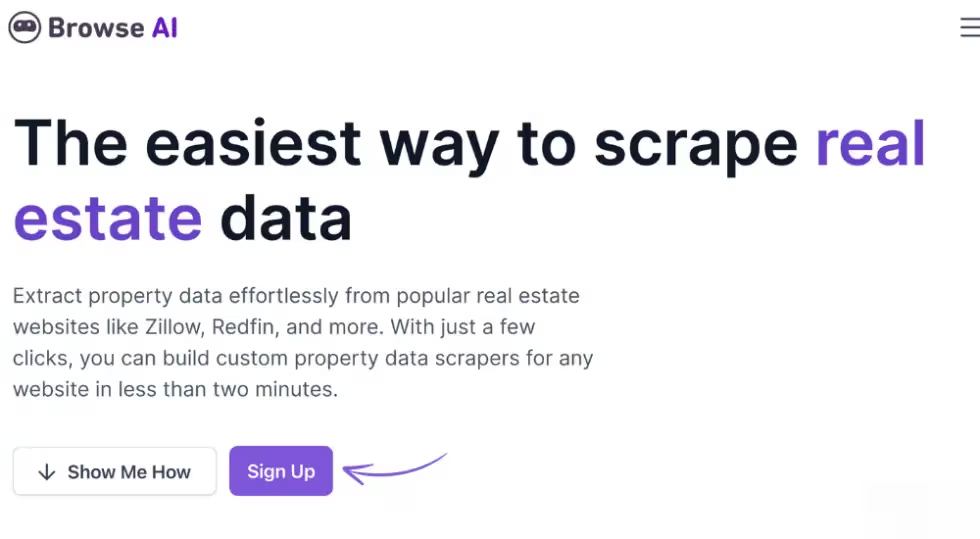
Imagine training a personal data assistant without writing a single line of code. That's Browse AI in action – a zero-configuration wizard that turns browser interactions into automated crawlers. Just record your navigation path (clicking, scrolling, logging in), and it builds a custom robot to extract data or monitor page changes. Perfect for:
Marketing teams tracking competitor prices/content updates,
Product managers watch user sentiment across platforms,
Non-technical professionals launching data projects overnight.
Its brilliance lies in pure simplicity: schedule daily scrapes, get email/Slack alerts on changes, and export directly to Google Sheets. The trade-off? Advanced users may feel constrained – it prioritizes accessibility over deep customization like Python scripts. Free plans cap at 50 records/month, but for most business monitoring? It's revolutionary.
3. ScraperAPI – Best for Rotating IP and Proxy-Based Crawls

When scraping fortified sites like Amazon or LinkedIn, getting blocked is your biggest nightmare. Enter ScraperAPI – the artillery-grade solution that automatically handles proxy warfare. This API-first service lets developers bypass geo-blocks and anti-scraping walls by dynamically rotating IP addresses across millions of residential proxies. Just integrate its REST endpoint into your Python/Node.js code, and watch it crush CAPTCHA while mimicking organic traffic. Essential for:
Developers embedding bulletproof scraping into applications,
Data teams harvesting e-commerce/LinkedIn/Glassdoor at scale,
Enterprises needing country-specific geo-targeting (US/EU/Asia proxies).
Its killer advantage? Near-zero maintenance: automatic retries, headless browser rendering, and concurrent requests skyrocket success rates. But to prepare for API-only rigor, zero visual dashboards mean you debug via logs. Pricing starts at $49/month for 100K API credits, climbing steeply to $475/month for 5M API credits. For proxy-heavy missions, though, it's unmatched efficiency.
2 Best Open Source Web Crawlers [For Developers]
For programmers, data engineers, and researchers demanding code-level control: When building custom data pipelines, scraping academic resources, or training AI models, open-source website crawlers offer unbeatable flexibility. These tools let you construct tailored scrapers—integrating proxy rotations, custom schedulers, and data transformers—while keeping infrastructure private and cost-efficient.
Discover our picks for the best open source web crawlers below, ideal for crafting battle-ready systems. SEO specialists? Jump ahead to our dedicated SEO crawler section.
4. Scrapy – Best Python-Based Open Source Crawler
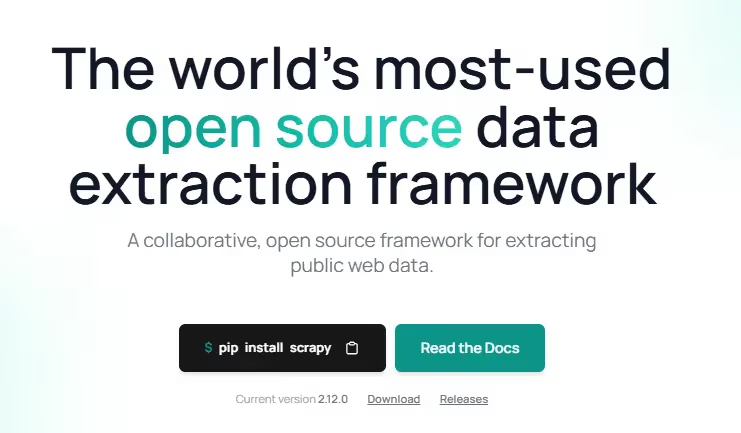
When serious developers need to crawl with Python at scale, Scrapy remains the undisputed powerhouse. This battle-tested framework turns complex web scraping with Scrapy into structured pipelines – perfect for harvesting academic datasets, monitoring e-commerce trends, or building AI training corpora. Its asynchronous engine chews through thousands of pages hourly, while middleware plugins seamlessly integrate proxies, databases, and task queues.
Ideal for Pythonistas crafting custom scrapers: data engineers extend it for distributed crawling, while AI teams reuse components for massive corpus builds. The catch? Its raw power demands coding fluency – expect to wrestle with XPath/CSS selectors and debug pipelines. No drag-and-drop crutches here. Yet for those willing to climb the learning curve, it's Python's best web crawler for production-grade data harvesting.
5. Colly – Best Web Crawler in Go for Speed
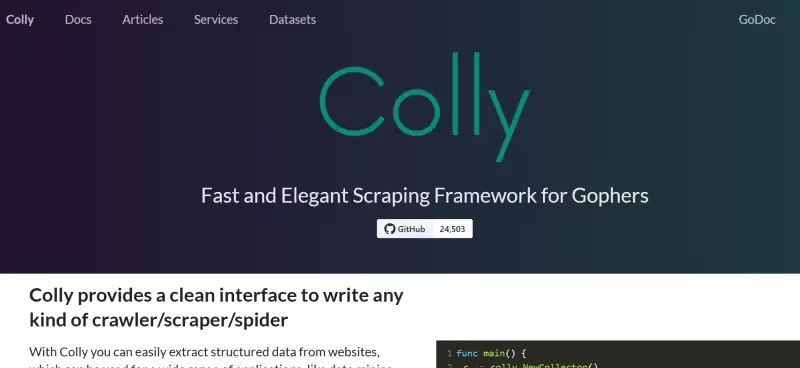
Need to scrape data from the web with Golang at lightning speed? Meet Colly – the lean, mean crawling machine built for Go enthusiasts. This framework tears through sites like a compiled hurricane, chewing through thousands of pages per second with near-zero memory overhead. Perfect when milliseconds matter: real-time price wars, news aggregation, or scraping anti-scrape fortified targets.
Go developers rejoice: Native integration with Go's ecosystem means effortless pairing with databases (PostgreSQL/Redis) and message queues (Kafka/NSQ). Cookies? Proxies? Retries? Handled elegantly in <50 lines of code. But here's the catch: Go knowledge is mandatory – no GUI, sparse tutorials, and Python's sprawling community, this ain't. For GUI-dependent teams, Octoparse (#8) awaits. Yet for pure, unadulterated speed in Go? Nothing touches it.
2 Best Web Crawlers for SEO and Website Analysis
For SEO teams auditing site health and opportunities, these specialized site crawlers deliver deep technical insights. Discover your best web crawling tools for SEO below:
6. DeepCrawl(Lumar) – Best Enterprise Web Crawler for Technical SEO
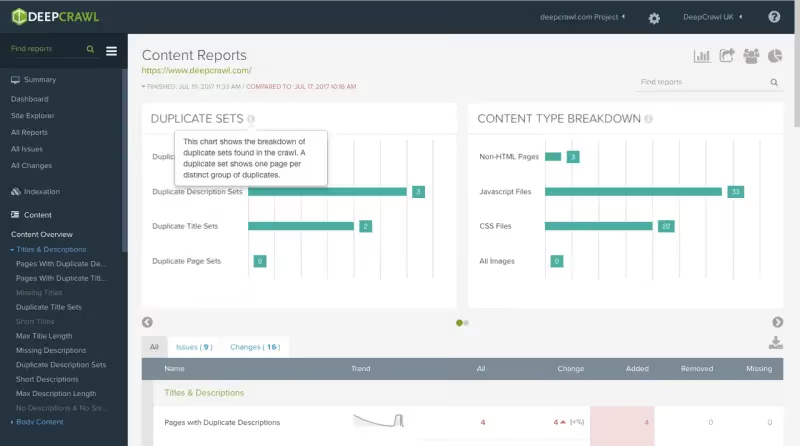
When enterprise SEO teams need surgical precision for mega-sites, DeepCrawl delivers industrial-strength website analysis. This cloud-based powerhouse specializes in auditing complex architectures—from multilingual portals to JavaScript-heavy SPAs—providing automated scheduled crawls and visual site mapping that reveal redirect chains, indexation issues, and mobile gaps. It also supports teams that need to scrape Google search results at scale by integrating crawl data with SERP performance and visibility insights. Vital for:
Global brands managing 10k+ page sites
Technical SEOs optimizing Core Web Vitals
Teams requiring GSC/Google Analytics integration
Its crown jewel? Enterprise-grade reporting with customizable dashboards and cross-team collaboration features. But prepare for enterprise pricing – plans start at $199/month for 100k pages, scaling to $5k+/month for Fortune 500 sites. While setup wizards ease initial configuration, advanced custom rules demand technical patience.
Note: DeepCrawl is now known as Lumar, but retains all its enterprise-level capabilities.
7. Oncrawl – Best SEO Web Crawler with Data-Driven Insights
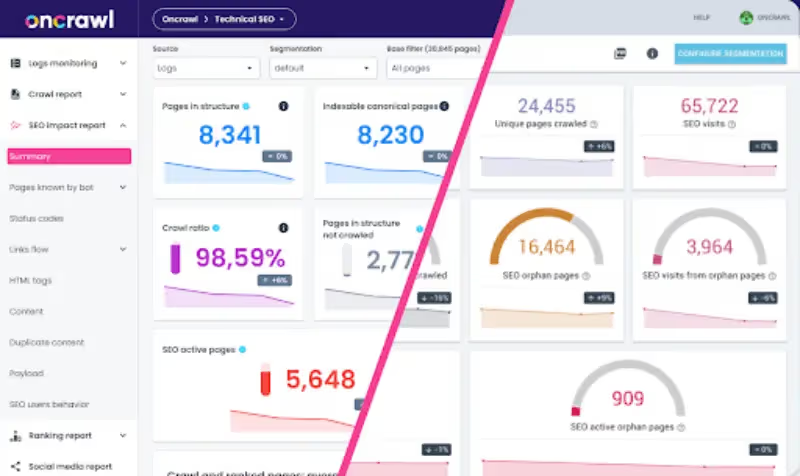
Oncrawl crunches site-wide data like a beast—it's the enterprise-grade crawler technical SEO teams swear by for quantifiable impact. Forget siloed insights; this tool cross-references crawl data with server logs, Google Analytics, GSC, and even Adobe Analytics to expose real technical debt—think orphan pages, crawl budget leaks, or predictive SEO risks. Its superpower? Turning raw data into actionable playbooks, whether you're scraping massive e-commerce sites or optimizing content hubs. Perfect for data-hungry growth squads needing to prove ROI.
Downsides? Pricing starts around $4500/year—firmly enterprise territory (ouch for startups). Setup isn't plug-and-play either; you'll need technical chops to wrangle log files and map data pipelines. And while it won't directly scrape Google Ads, its landing page diagnostics sharpen SEO-to-ad synergy—crucial when optimizing paid-to-organic funnels.
Other Best Web Crawling Solution Worth Exploring
Beyond core categories, one adaptable crawler shines for unique workflows. Explore this solution when specialized scraping or user-friendly approaches are needed—especially where coding isn't an option.
8. Octoparse – Best GUI Web Crawler for Beginners
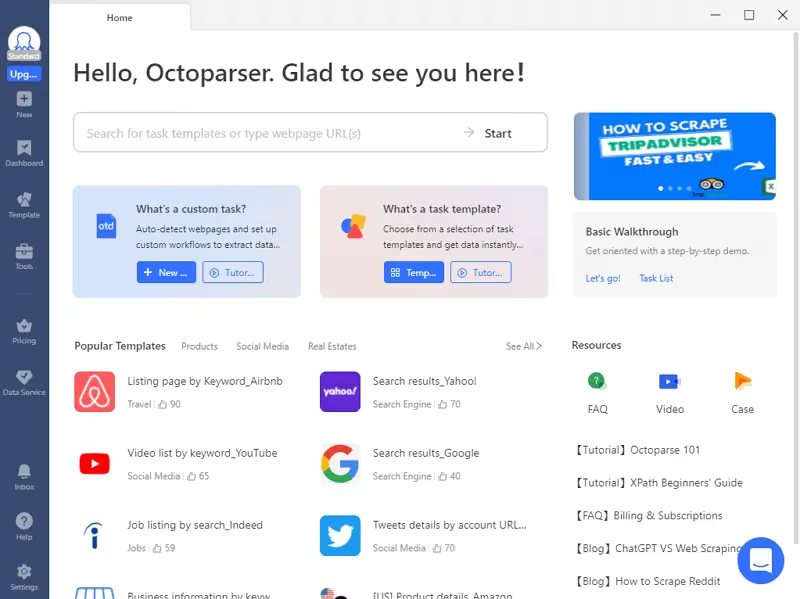
Octoparse democratizes web scraping with its intuitive drag-and-drop GUI—no coding needed. Designed for beginners like researchers, marketers, or e-commerce managers, it lets anyone automatically scrape website data (product listings, reviews, tables) in minutes. Its visual workflow builder handles pagination, dropdowns, logins, and even JavaScript-lite sites. Flexible deployment (cloud/local) and pre-built templates accelerate tasks like competitor price tracking or social media monitoring.
However, advanced features (e.g., IP rotation, API access) require Pro plans ($249/month). While ideal for static/moderately dynamic pages, it struggles with heavily JavaScript-rendered content (e.g., real-time dashboards). For simple, quick-turn scrapes? A powerhouse. For complex SPA sites? Consider supplemental tools, e.g., IPcook.
Conclusion
Selecting the best web crawler hinges on your needs: Apify excels in cloud-based data workflows; Scrapy dominates Python development; Octoparse empowers no-code users. For SEO, Oncrawl's data fusion is unmatched. Yet all face a universal hurdle: anti-scraping defenses.
This is where IPcook becomes your force multiplier. Its vast residential IPs Pool across 185+ locations, millisecond-level IP rotation, and 99.9% uptime (supporting IPv4/IPv6/HTTPS/SOCKS5) let any crawler operate invisibly. Need to scrape geo-blocked content or evade TLS fingerprinting? IPcook's customizable proxy strategies—paired with tools like ScraperAPI—ensure near-zero block rates. Deploy it to power price monitoring, ad verification, or large-scale data mining.
FAQ
- What Is a Web Crawler and Why You Need One
- How to Choose the Best Web Crawling Tools & Quick Comparison
- 👍 IPcook – Best Proxy Provider to Power Your Web Crawling Projects
- 3 Best Web Crawlers for Data Extraction and Web Scraping
- 2 Best Open Source Web Crawlers [For Developers]
- 2 Best Web Crawlers for SEO and Website Analysis
- Other Best Web Crawling Solution Worth Exploring
- Conclusion
- FAQ
