


What Is an ASN Number? How to Look Up an ASN by IP Address

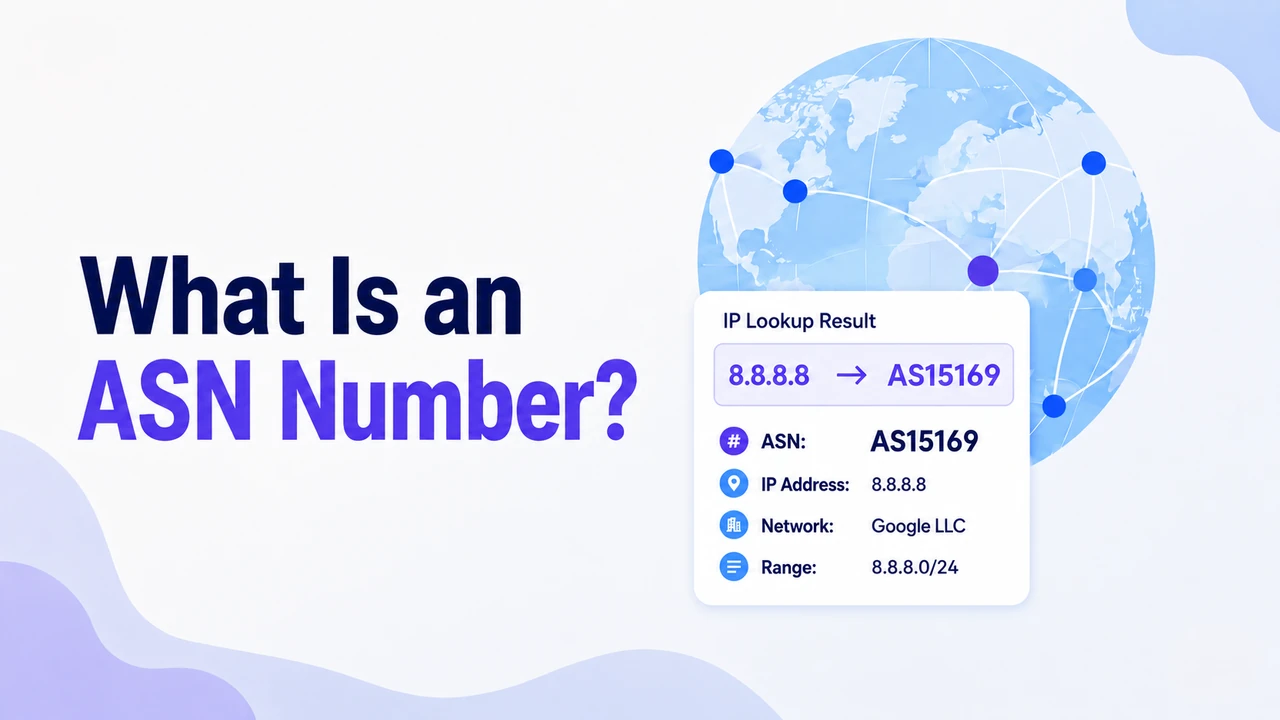
Every piece of data traveling across the internet moves between independent networks called Autonomous Systems. To route traffic across these networks, each one relies on a unique identifier known as an ASN, or Autonomous System Number.
This guide breaks down what an ASN is, how it relates to IP addresses, how to look up an ASN by IP address, and why it matters if you work with proxies, web scraping, or any kind of geo-targeted access.
What Is an ASN (Autonomous System Number)
An ASN, or Autonomous System Number, is a unique identifier assigned to an Autonomous System (AS). In networking, an Autonomous System is an independently managed network, or group of networks, that follows a unified routing policy on the internet. The internet is not one giant network. It is made up of thousands of networks operated by ISPs, cloud providers, universities, enterprises, and government organizations. Each of these networks needs a way to identify itself when exchanging traffic with other networks. That identifier is the ASN.
For example, Google uses AS15169, Comcast uses AS7922, and Cloudflare operates AS13335. These numbers help routers and network operators understand which network announces, manages, and routes a specific range of IP addresses. Behind the scenes, Autonomous Systems exchange routing information through BGP, or Border Gateway Protocol. BGP is what allows every public IP address to be traced back to the network that announces it — which is the foundation of how ASN lookups work.
ASNs are assigned through a global registry system. IANA manages the global ASN pool, while Regional Internet Registries such as ARIN, RIPE NCC, APNIC, LACNIC, and AFRINIC distribute ASNs to network operators in different regions. Early ASNs used a 16-bit format, which provided roughly 65,000 possible identifiers. As the internet grew, 32-bit ASNs were introduced, expanding the available pool to over four billion.
What Does ASN Mean in an IP Address
When you look up an IP address using an IP lookup tool, WHOIS database, or proxy checker, the ASN field shows which Autonomous System announces the IP prefix that contains that address. In simpler terms, it tells you which network is responsible for that IP range. You will usually see it alongside details such as the ISP, organization, country, region, and city.
For example, if an IP lookup shows ASN: AS7922 | Organization: Comcast Cable, the IP belongs to a block operated by Comcast in the United States. If it shows ASN: AS16509 | Organization: Amazon.com, Inc., the IP is part of Amazon’s AWS network.
This is why ASN data is useful. It does not only show where an IP address is located; it also helps identify the network type behind that IP, such as a residential ISP, mobile carrier, cloud provider, or datacenter network. For proxy users, the ASN is one of the clearest signals of where an IP actually comes from — and what kind of traffic it represents.
How to Look Up an ASN by IP Address
Looking up an ASN by IP address does not require any special setup. You only need a public IP address and an IP lookup tool, WHOIS database, or BGP lookup service. Private IP addresses such as 192.168.x.x or 10.x.x.x will not return a public ASN because they are used inside local networks.
Some IP lookup tools automatically show your current browser IP and its ASN when you open the page. To check another IP address, paste that IP into the search box. The result will usually include the ASN, organization, ISP or network owner, and registered IP range. More technical tools may also show CIDR blocks, BGP prefixes, and routing details.
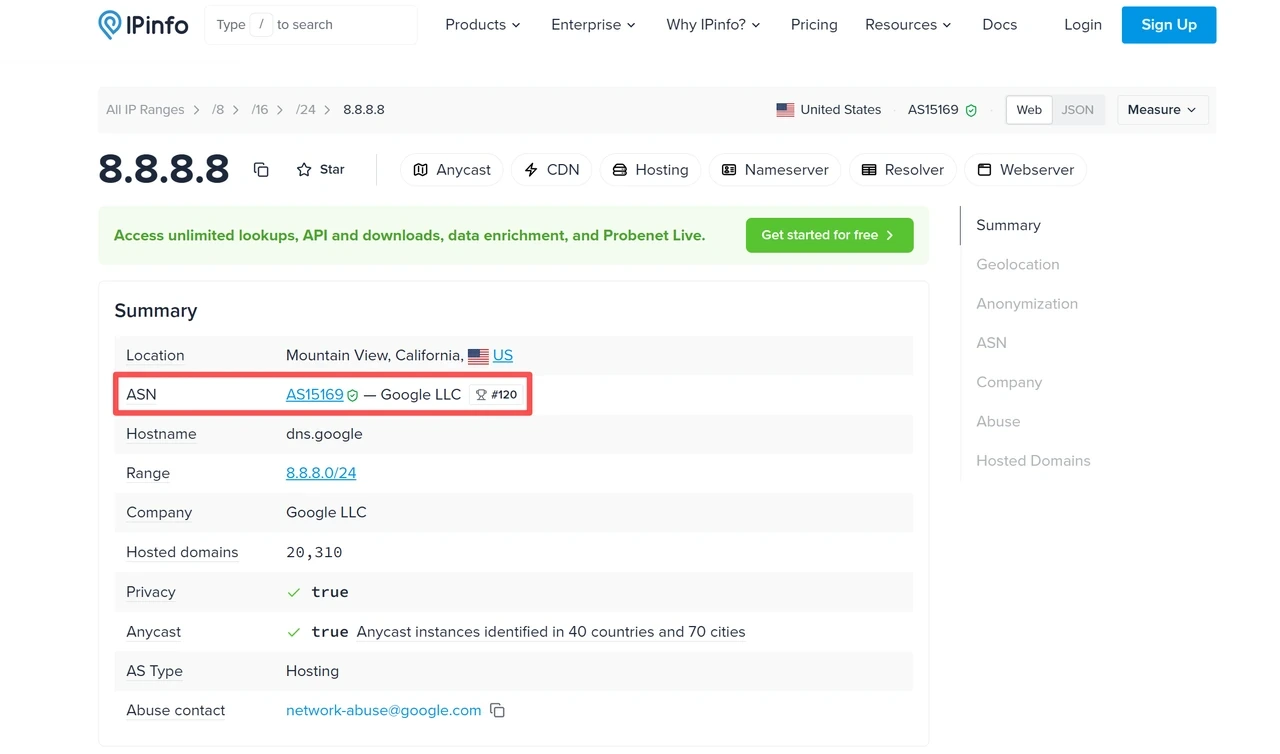
Several free tools can help:
ipinfo.io: Good for a quick IP overview, including ASN, ISP, location, and organization details.
ARIN WHOIS Lookup: Useful for checking IP registration records and the organization behind an IP block.
bgp.he.net: Better for technical BGP data, including prefixes, routing information, and ASN-level network details.
Team Cymru IP to ASN service: A technical lookup service that maps IPs to ASNs via WHOIS or DNS queries. Useful for network engineers and security researchers who need bulk or programmatic lookups.
Command line: On Linux or macOS, open Terminal and run a command such as
whois 8.8.8.8. The result may include the registered network, organization, IP range, and ASN-related records.
👉 Want to see how a premium proxy IP appears in an IP lookup? Try free 100MB residential proxy traffic from IPcook today.
For developers, ASN data is often available through IP geolocation and IP intelligence APIs. This helps systems classify traffic by network owner, ISP, hosting provider, or network type. For proxy users, it also explains why two IPs from the same country can behave differently: one may come from a residential ISP, while another may come from a datacenter or hosting network — and platforms often treat these two types of traffic very differently.
ASN vs. IP Address: What’s the Difference
An ASN and an IP address are closely related, but they are not the same thing. An IP address refers to one specific address, while an ASN identifies the network behind a group of IP addresses.
Here is the simplest way to understand the relationship:
An IP address is one specific address, such as
8.8.8.8.An IP prefix is a block of consecutive IP addresses managed together, such as
8.8.8.0/24.An ASN identifies the Autonomous System that announces and routes that IP prefix on the internet.
One ASN can be associated with thousands or even millions of IP addresses. A large ISP, cloud provider, or enterprise network may announce many IP prefixes under the same ASN. Some organizations may also operate multiple ASNs if they manage separate networks with different routing policies.
So when you run an IP to ASN lookup, you are not only checking one isolated IP address. You are checking which network announces the IP prefix that address belongs to, which can help show the organization, operator, and network type behind that IP.
Why ASN Matters for Proxies and IP Reputation
ASN data matters for proxies because platforms do not evaluate an IP address by location alone. A US IP, for example, can come from a home broadband network, a static ISP network, a mobile carrier, or a cloud hosting provider. These IPs may show the same country, but they do not carry the same network signal.
Websites, ad platforms, and security systems evaluate IP addresses using multiple signals — including ASN, IP reputation, request patterns, cookies, and browser fingerprint. ASN alone does not determine how an IP is treated, but it is one of the clearest indicators of whether traffic originates from a real user network or a server environment.
Residential vs. ISP vs. Datacenter ASN Signals at a Glance
IP Type | Typical ASN Owner | Network Signal | Common Use Case |
Residential | Consumer ISP, broadband, or mobile network | Closer to ordinary user traffic | Web scraping, geo-access, ad verification, local SEO monitoring |
ISP / Static ISP | ISP network with stable assigned IPs | Stable ISP-grade identity | Account management, long sessions, fixed-IP verification |
Datacenter | Cloud, hosting, or infrastructure provider | Fast, scalable server-side network | High-volume automation, API testing, network testing, cost-sensitive tasks |
A proxy IP is not just an address. Its ASN can help reveal the kind of network behind it, which is why choosing between residential, ISP, and datacenter proxies depends on the task you are running.
Choose the Right Proxy for the Right ASN Signal
Understanding ASNs changes how you evaluate proxy IPs. Instead of only asking “Where is this IP located?”, you start asking: “What network type does this IP belong to, and does that match my use case?”
Here’s what to check when choosing a proxy service:
Can you verify the network origin? Run an IP lookup and check the ASN, organization, and network type. For residential or ISP tasks, the IP should point to a real consumer ISP, broadband network, or verified ISP source rather than a datacenter or hosting network that does not reflect the intended traffic type.
Does the pool cover the regions you need? Global coverage should mean more than country labels. For geo-targeted tasks, you need IPs spread across the locations and network types your task depends on.
Does the network type match the task? Residential IPs are better for real-user network signals, ISP proxies are better for stable identity, and datacenter proxies are better when speed, scale, and cost efficiency matter more.
IPcook covers all three major proxy network types. Choose the right proxy for your task.
IPcook Residential Proxies suit web scraping, ad verification, geo-targeted access, market research, and local SEO monitoring.
55M+ ethically sourced residential IPs across 185+ countries
IPs associated with real consumer ISP and broadband networks
Sticky sessions up to 24 hours for tasks that need session continuity
Traffic that never expires, so unused bandwidth stays available
IPcook ISP Proxies provide static ISP IPs for account management, long-term sessions, secure access, and fixed-IP verification.
Static IPs sourced from verified ISP networks
ISP-level network signals with the stability of a fixed address
Enterprise-grade stability for long-term access
Unlimited traffic for long-running tasks
IPcook Datacenter Proxies deliver speed, scale, and cost efficiency for high-volume automation and infrastructure-level tasks.
Fast, scalable datacenter IPs for high-volume tasks
Unlimited traffic for bulk scraping and automation
Optimized global routing for low-latency access
HTTP and SOCKS5 support for integration across tools
Quick Summary
An ASN, or Autonomous System Number, is a unique identifier for an Autonomous System — a network or group of networks with a unified routing policy.
Every ASN is globally unique and assigned through the IANA → RIRs → network operators system.
Every public IP address belongs to an IP prefix announced by an Autonomous System, which is why an IP address can be mapped back to an ASN.
You can run an IP to ASN lookup using tools such as ipinfo.io, bgp.he.net, WHOIS lookup tools, or IP intelligence APIs.
ASN data helps identify whether an IP comes from a residential ISP, static ISP network, mobile network, cloud provider, or datacenter network.
Need reliable proxies for scraping, ad verification, SEO monitoring, or geo-targeted access? Start with IPcook from $0.5/GB.
