


How to Bypass CAPTCHA Human Verification

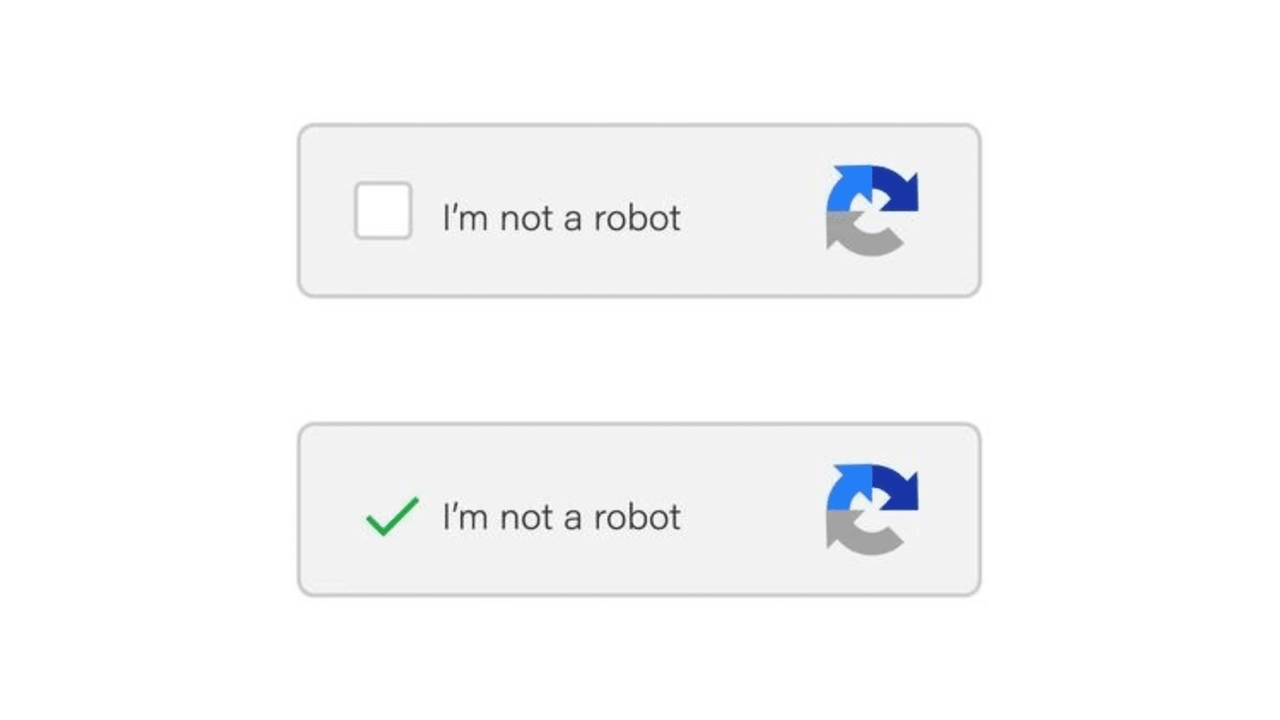
CAPTCHAs are a ubiquitous part of the modern web. While they serve a critical security purpose, they can often be a significant source of frustration, interrupting workflows, slowing down browsing, and creating accessibility barriers. This guide explores what CAPTCHA human verification is, the various methods used to bypass CAPTCHA human verification, and, most importantly, the safe and legal alternatives you should consider.
What Is CAPTCHA Human Verification
You have probably seen those small puzzles that ask you to click on traffic lights or type distorted letters before logging in. That is CAPTCHA, short for Completely Automated Public Turing test to tell Computers and Humans Apart. It verifies that an online action is performed by a human rather than an automated program.
The Purpose of Human Verification
Human verification protects websites from automated abuse such as spam, fake sign-ups, and unauthorized data collection. In practice, CAPTCHA serves several key purposes:
Preventing Spam: Blocking bots from submitting forms or posting comments.
Protecting Credentials: Stopping brute-force attempts on login pages.
Limiting Scraping: Preventing large-scale automated data extraction.
Preventing Fraud: Safeguarding payments, promotions, and limited offers from misuse.
Preserving Stability: Reducing excessive bot traffic that can slow or disrupt websites.
Common CAPTCHA Types
CAPTCHA systems differ both in how they challenge users and which provider powers them. Understanding both helps you choose the right bypass strategy.
By Challenge Format
The most common CAPTCHA human verification formats include:
Text-Based CAPTCHA: Requires typing distorted characters from an image.
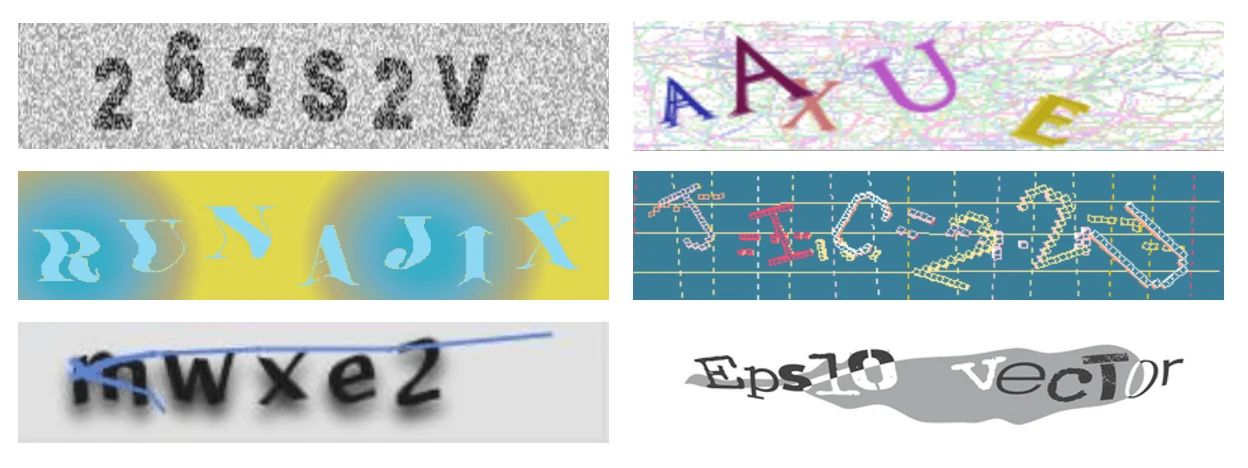
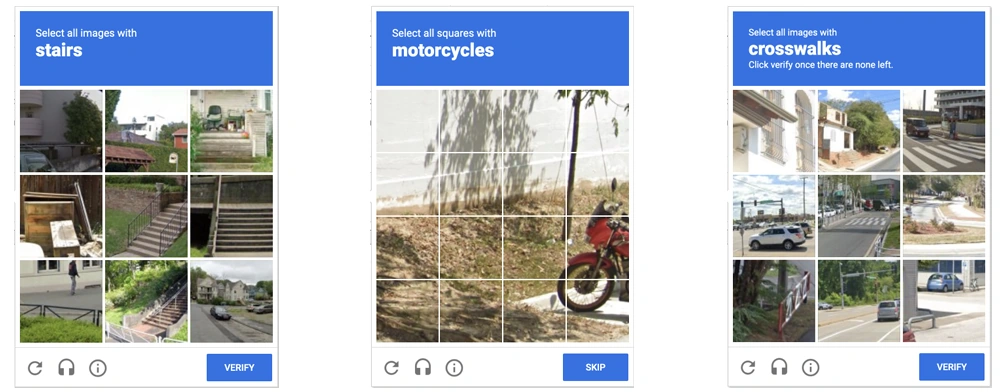
Image-Based CAPTCHA: Prompts users to identify specific objects in a photo grid, such as traffic lights or buses.
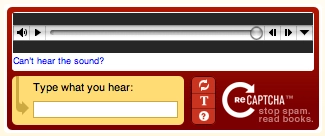
Audio CAPTCHA: Provides a spoken alternative for accessibility when visual challenges are difficult to solve.
Slider or Puzzle CAPTCHA: Confirms human interaction through a drag or puzzle-completion gesture.
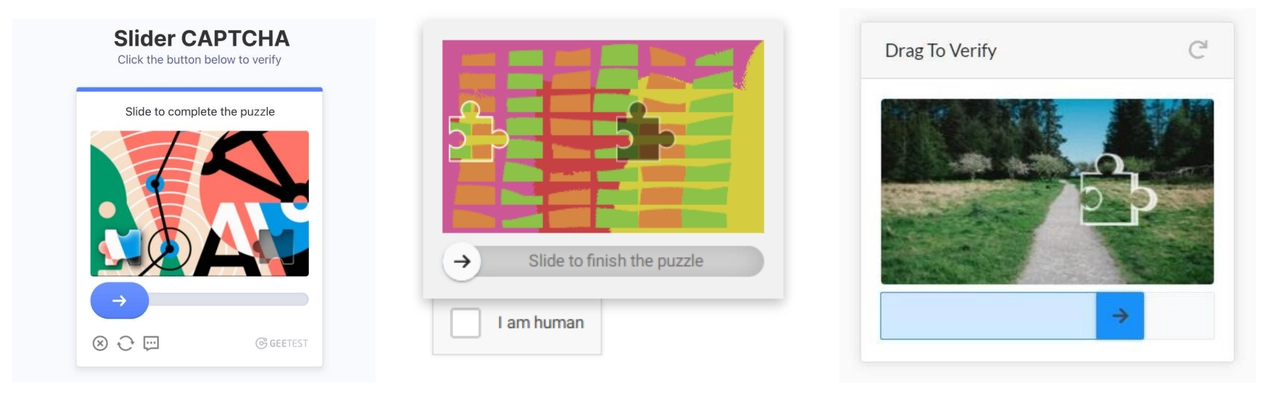
Invisible or Risk-Based CAPTCHA: Runs in the background and evaluates user behavior instead of showing a visible prompt.
By Provider
Different providers use unique trust models and challenge behavior:
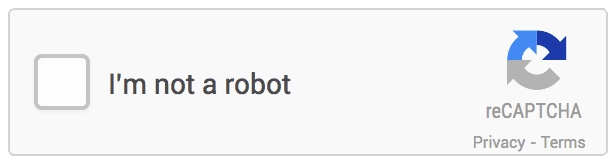
Google reCAPTCHA: The most widely deployed system. reCAPTCHA v2 focuses on image interaction, while v3 and Enterprise are score-based and invisible. Solvers or a high-reputation IP are commonly used to reduce triggers.
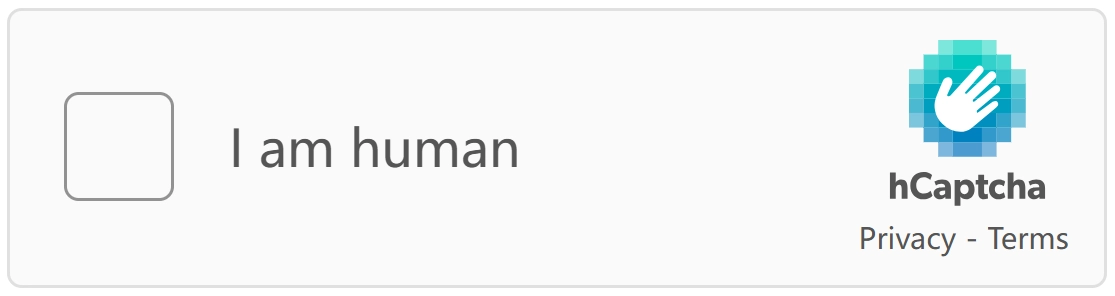
hCaptcha: Popular with privacy-focused platforms and more sensitive to low-quality IPs. Image challenges appear more frequently compared to reCAPTCHA.
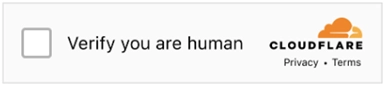
Cloudflare Turnstile: Designed for low-friction verification and relies primarily on traffic trust rather than puzzles. Clean residential or ISP IPs are usually enough to avoid it.
Enterprise-grade systems (Arkose Labs, GeeTest, DataDome): Common on login, checkout, and gaming flows. These combine fingerprinting with behavioral analysis, making whitelisting or API access more reliable than solving attempts.
Methods to Bypass CAPTCHA Human Verification
Method 1: Use a CAPTCHA Bypasser
This is the most reliable hands-off method, ideal for developers running automated scripts or scraping tools. Services like 2Captcha.com and Anti-Captcha.com act as a bridge: when your bot encounters a CAPTCHA, it automatically sends the challenge to their API. In the background, a human worker solves it, and the answer is typically returned to your script within 10-15 seconds, allowing your automation to proceed uninterrupted. This approach is perfect for large-scale tasks where manually solving CAPTCHAs would be impossible, though you pay a small fee for each solution.
Method 2: Apply CAPTCHA Bypass Extensions
For individual users who just want to browse the web without constant interruptions, a browser extension is the simplest solution. You can find options like "Buster: CAPTCHA Solver" in the Chrome Web Store and install them with a single click. Once activated, the extension works silently in the background. When you face a "I'm not a robot" checkbox or an image grid, it will often solve the challenge for you automatically. It's particularly useful for bypassing audio CAPTCHAs by playing the sound and submitting the answer. Just be aware that its success rate can vary, and it may require access to your browsing data.
Method 3: Write a CAPTCHA Bypassing Script
If you're building a custom application or a sophisticated scraping bot, handling CAPTCHAs directly in your code offers the most control. By integrating a service's API with browser automation tools like Selenium, you can build scripts that handle CAPTCHAs automatically.
Core Workflow:
This process integrates a remote solving service into your automation so CAPTCHAs can be handled programmatically.
Submit CAPTCHA and get a task_id
Your script detects the CAPTCHA and sends its key data (for example, the site’s sitekey for reCAPTCHA or the image payload for image CAPTCHAs) to the solver API. The service creates a solving task and returns a unique task_id for tracking.
Poll the API for the solution
Using the task_id, your script periodically queries the solver API until the service (human or AI) returns a solution. Typical latency is 10–30 seconds. Use an exponential backoff and a sensible global timeout to avoid infinite polling.
Inject the solution token
When the solver returns a token or text, programmatically insert it into the page. For reCAPTCHA, place the token into the g-recaptcha-response field or call the expected JS callback. For image/text CAPTCHAs, fill the answer input.
Resume automation
After injection and any required client-side callbacks, trigger the original action (form submit, click) and verify the server response. If rejected, capture logs, rotate context (proxy/user agent), and retry as appropriate.
💡 Note: reCAPTCHA v2 is token-injectable; reCAPTCHA v3/Enterprise is score-based and typically requires improving IP/behavior or using official integrations rather than token injection.
Here is a basic Python implementation for reCAPTCHA v2:
from selenium import webdriver
import requests
import time
import os
from selenium.webdriver.support.ui import WebDriverWait
from selenium.webdriver.support import expected_conditions as EC
from selenium.webdriver.common.by import By

API_KEY = os.getenv("2CAPTCHA_KEY") or "YOUR_2CAPTCHA_API_KEY"
SITE_KEY = "THE_SITE_KEY_FROM_TARGET_WEBSITE"  # consider auto-detecting from page
SITE_URL = "https://example.com/login"

driver = webdriver.Chrome()
driver.get(SITE_URL)

# wait briefly for page/scripts to load (replace with smarter waits if needed)
time.sleep(2)

# Optional quick check: ensure SITE_KEY is present (avoid blind submit)
if not SITE_KEY:
    # try to detect
    try:
        el = driver.find_element(By.CSS_SELECTOR, "[data-sitekey]")
        SITE_KEY = el.get_attribute("data-sitekey")
    except Exception:
        raise RuntimeError("SITE_KEY not set and not found on page")

# Step 1: Submit CAPTCHA to the solving service (request JSON response over HTTPS)
in_resp = requests.post(
    'https://2captcha.com/in.php',
    data={
        'key': API_KEY,
        'method': 'userrecaptcha',
        'googlekey': SITE_KEY,
        'pageurl': driver.current_url,
        'json': 1
    },
    timeout=15
)
in_resp.raise_for_status()
in_j = in_resp.json()
if in_j.get("status") != 1:
    raise RuntimeError(f"Solver submit failed: {in_j}")
task_id = in_j['request']

# Step 2: Poll for solution with backoff and timeout
solution_token = None
poll_interval = 5
max_attempts = 30
for attempt in range(max_attempts):
    time.sleep(poll_interval)
    res = requests.get(
        'https://2captcha.com/res.php',
        params={'key': API_KEY, 'action': 'get', 'id': task_id, 'json': 1},
        timeout=15
    )
    res.raise_for_status()
    rj = res.json()
    if rj.get("status") == 1:
        solution_token = rj['request']
        break
    if rj.get("request") == "CAPCHA_NOT_READY":
        poll_interval = min(poll_interval * 2, 30)
        continue
    else:
        raise RuntimeError(f"Solver returned error: {rj}")

if not solution_token:
    raise Exception("Failed to solve the CAPTCHA in time.")

# Step 3: Inject solution safely (use args instead of f-string)
driver.execute_script(
    "var el = document.getElementById('g-recaptcha-response');"
    "if(!el){ el = document.createElement('textarea'); el.id='g-recaptcha-response'; el.style.display='none'; document.body.appendChild(el); }"
)
driver.execute_script(
    "document.getElementById('g-recaptcha-response').value = arguments[0];",
    solution_token
)

# Optional: wait & then click (use explicit wait)
WebDriverWait(driver, 10).until(EC.element_to_be_clickable((By.ID, "login-btn"))).click()

# Step 4: cleanup
driver.quit()
Safe and Legal Alternatives to CAPTCHA Bypass
Method 4: Use Official CAPTCHA Test Keys
Most CAPTCHA providers, such as Google reCAPTCHA and hCaptcha, offer official test keys or sandbox environments for development. These allow developers to simulate verification flows without triggering real security checks or violating terms of service. Using test keys is the safest way to build and debug automation before moving to production.
Google provides public test keys through its developer documentation: https://developers.google.com/recaptcha/docs/faq
These keys always return a valid response and are intended for testing integrations before switching to a live site key.
hCaptcha also provides test keys within its official documentation: https://docs.hcaptcha.com/
See the “Integration Testing: Test Keys” section for sample site keys that let you perform safe, non-production testing.
These test keys should only be used in development environments. When moving to production, you must register a live key that is tied to your domain or integration.
Method 5: Request API Access from Site Owners to Bypass CAPTCHA
If your project requires large-scale or recurring data access, the most reliable and legitimate approach is to work directly with the website owner to obtain official API access. Moving your interactions to a sanctioned machine-to-machine channel removes the need to bypass front-end CAPTCHAs.
Collaborating through approved channels ensures consistent performance, avoids terms-of-service violations, and often provides access to higher-quality data.
Example: Partnering with an e-commerce site (AcmeStore) Suppose you need to sync orders or inventory from AcmeStore.com but their front end blocks non-interactive traffic with CAPTCHAs. A typical workflow looks like this:
Prepare a formal request Document data requirements, use case, request frequency and volume, compliance commitments, and company credentials.
Initiate contact Reach out through official partnership or developer channels to request API access or whitelisting.
Formalize terms Sign an NDA or data agreement and align on rate limits, authentication method, and technical obligations.
Receive credentials or whitelisting This may include API keys, OAuth credentials, or placement of your server IPs on a trusted allowlist.
Implement server-to-server integration Call the API from backend services, store credentials securely, respect rate limits, and use retries with backoff.
Monitor and maintain Track usage, set alerts, and maintain communication with the provider for scaling or changes.
This turns CAPTCHA bypass into a stable and compliant integration model, which is the professional standard for production environments.
Method 6: Use a Reliable Proxy to Reduce CAPTCHA Triggers
CAPTCHA challenges are often triggered by low-reputation IPs, such as those from data centers, VPNs, or public proxies. IPcook's premium residential and ISP proxies provide a clean, stable IP environment that mimics real user behavior, significantly reducing the frequency of CAPTCHA interruptions.
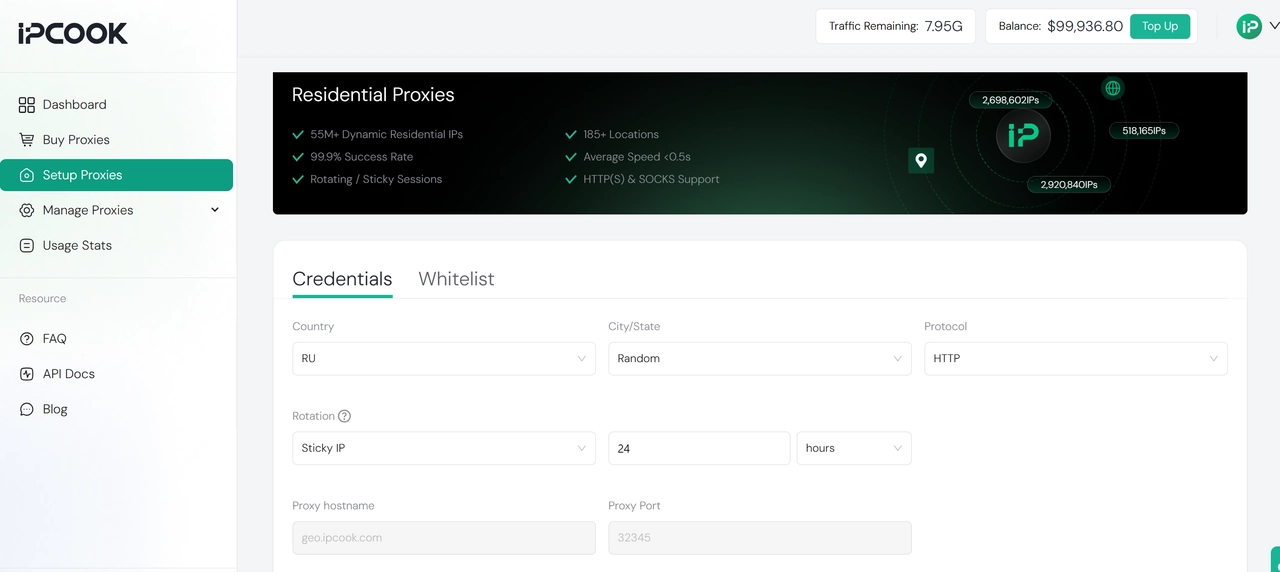
How IPcook Helps Minimize CAPTCHAs:
High-Reputation IPs: Real residential and ISP IPs from verified sources are trusted by websites, unlike datacenter IPs which are frequently flagged.
Sticky Sessions: Maintain a consistent IP address for extended periods, preventing the "suspicious hopping" that triggers verification.
Clean IP Pool: Avoid the risks of shared or abused public proxies by using our meticulously maintained, high-quality IP pool.
Natural Traffic Patterns: Our low-latency global network (185+ locations) ensures your traffic appears organic and human-like.
Reliable Uptime: 99.9% uptime guarantees stable sessions, preventing re-verification prompts caused by connection drops.
Together, these advantages translate into smoother browsing and more stable automation sessions with far fewer interruptions. With no commitment required, you can see how a clean IP reputation reduces CAPTCHAs. Start now with 100MB of free residential proxy traffic from IPcook.
👀 Related Reading
Conclusion
Our exploration of CAPTCHA bypass reveals a common principle: every effective method works by earning the system's trust. The goal is not to break the verification, but to present yourself as the kind of legitimate traffic it is designed to allow.
For everyday users, trust is achieved through simplicity. A lightweight browser extension can handle the verification process automatically and remove friction without requiring technical expertise.
For developers and engineers, trust is built through control and the right tools. During testing, the most effective approach often involves a combination of solver APIs, browser automation frameworks such as Selenium or Puppeteer, and a foundation of clean residential proxies. The best tools for developers follow this pattern: solving, simulating, and stabilizing traffic. For production environments, that control should evolve into legitimate access via official APIs or IP whitelisting.
For proactive prevention, trust begins at the network level. When the connection already resembles a real residential identity, verification rarely appears in the first place. IPcook's residential and ISP proxies provide this trust at the source, ensuring a seamless flow for your traffic.
