If you have multiple Facebook, Instagram, or TikTok accounts for your product marketing, you may find it harder than before to run them safely. That is because the platforms have now implemented a strict system to detect attempts to create multiple accounts and to reduce malicious activities. If this bothers you, then you shouldn't miss this guide. Here, I will show you how to manage multiple social media accounts safely and efficiently with IPcook and VMLogin. Ready for the deal? Let's dive in!
You may wonder why you should use proxies together with an anti-detect browser. Isn't there a single tool that can solve the problem once and for all? Unfortunately, the answer is NO. First of all, social media platforms will track your IP address to see if you are logging in to different accounts from the same location. If your account is flagged as an abnormal login, it might be suspended. To solve this issue, you will need a new IP address from a trusted residential proxy service to hide your original one.
Another point is that, besides your IP address, the platforms will also track you via your browsing fingerprints. What are your digital fingerprints? They include your browser version, OS, time zone, language, fonts, screen resolution, etc. All of these will help the platforms determine whether several accounts are logged in by the same person. This time, you will need an anti-detect browser that simulates all these fingerprints to separate all your social media accounts.
Therefore, if you want to stay safe in your social media marketing, the best way to manage multiple social media accounts is to use a trusted proxy service with a powerful fingerprinting browser.
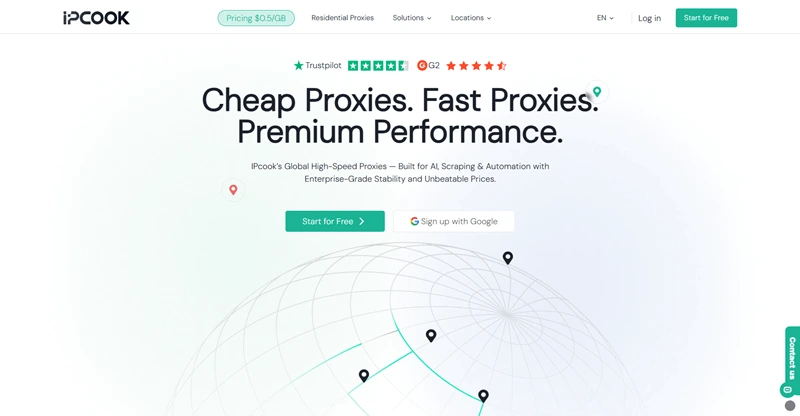
So, for proxies, which proxy service provider is the most reliable? Here, I would recommend IPcook, which offers fast and stable proxies for its clients at an affordable price. The top feature that makes it shine is its elite-level anonymity. All of its proxies come with high anonymity, which means no proxy headers are included in your requests. This way, no websites or platforms will see your true IP address, nor will they know you are using a proxy. This guarantees the highest privacy for your online activities.
In addition, IPcook boasts a large pool of over 55 million IPs spread across more than 185 locations around the globe. What does it mean? You will never run out of IP addresses or access the same IP you've used, which reduces the risk of account suspension due to IP issues. If you worry about speed and stability, IPcook gets you covered! Its proxies ensure a short global response time of under 0.5 seconds and 99.99% uptime even during peak time. Your social media management will definitely be smooth with IPcook.
Below are the core features of IPcook:
Elite-Anonymity Proxies: All proxies are equipped with high anonymity to ensure no one knows you use a proxy.
A Huge Pool of IPs: IPcook offers more than 55 million residential IPs sourced from real user networks in 185+ locations.
Fast Speed and Stable Connection: It guarantees a short response time of under 0.5s and 99.99% uptime, giving you an excellent experience.
High Concurrency: Every IPcook account is set at 500 concurrent threads by default, scalable to 100,000 at max for any resource-intensive operations.
Flexible IP Rotation: You can change IPs per request or interval. Sticky sessions are also allowed for up to 24 hours if you need IP consistency.
Affordable Pricing Plans: The plans start at $3.2 per GB, and the traffic will not expire. This means the traffic will roll over to next month if unused.
VMLogin is a virtual browser environment that enables users to manage social media accounts with isolated digital footprints. Each browser profile operates within its own independent environment, featuring separate local storage, cookies, IP address, and even customizable browser fingerprints — all managed under a single application.
Unlike conventional browsers, this multiple account manager ensures that each account appears to originate from a distinct device and location. This advanced anti-detection capability prevents websites and platforms from linking your accounts back to a single source.
Key Features of VMLogin Anti-detect Browser:
Complete Profile Isolation: Each browser profile operates independently to prevent cross-account tracking and linkage.
Efficient Multi-Account Management: Easily create, manage, and scale hundreds of accounts within one platform.
Seamless Team Collaboration: Share profiles, assign permissions, and organize profiles into folders for smooth teamwork.
Robust Automation Support: Full API integration enables automated workflows using tools like Selenium and Puppeteer.
Advanced Fingerprint Protection: Realistic device fingerprint emulation combined with smart anti-tracking measures.
Flexible Proxy and Cookie Handling: Assign, rotate, and manage proxies and cookies per profile or in bulk with ease.
In this guide, we'll show you step by step how to set up the IPcook Proxy in VMLogin to ensure safe, efficient, and scalable multi-account operations.
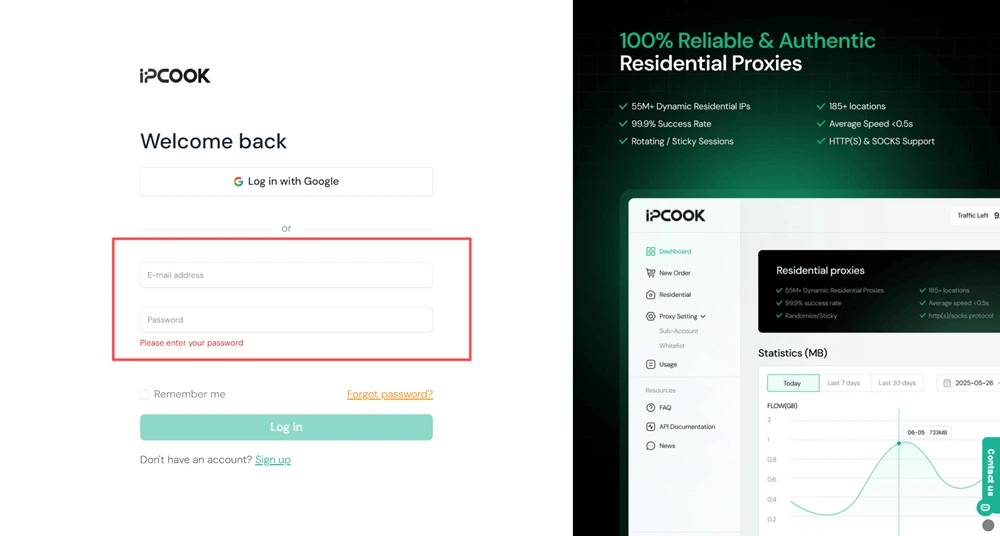
Step 1: Visit the IPcook official website. Log in with your existing account, or click Sign up to create a new one.
Step 2: Go to the Buy Proxies tab on the left sidebar. Click Top Up to add funds to your account, then select a proxy plan based on your preferred country, protocol, and data amount. Click Buy Now to complete the purchase.
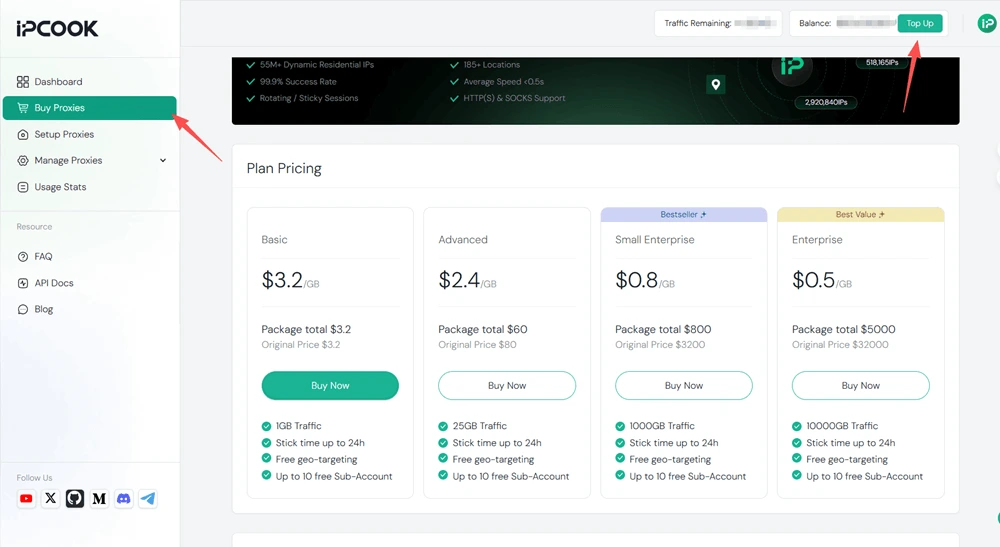
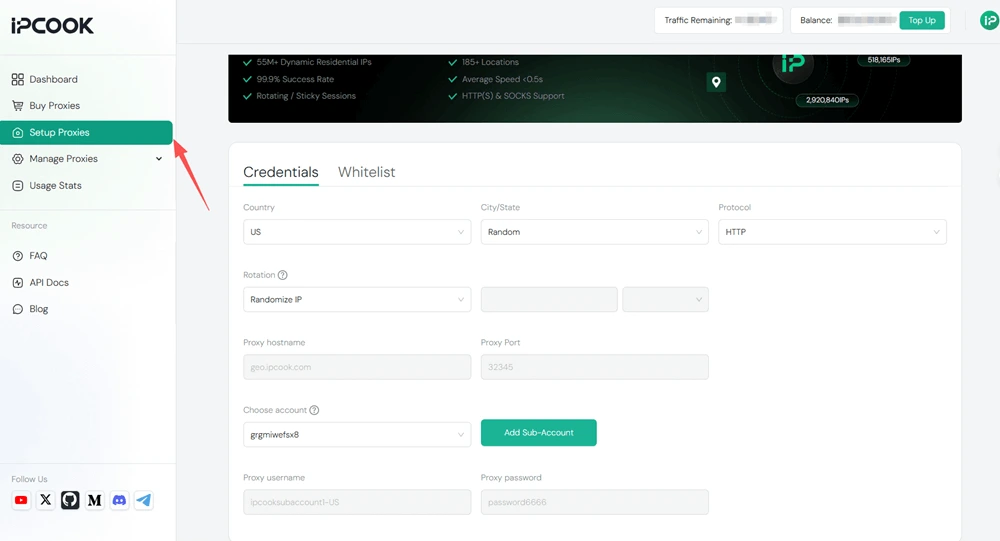
Step 3: Open the Setup Proxies page. Choose your settings such as country, city/state, protocol (HTTP or SOCKS5), and rotation mode (Randomize IP or Sticky IP). If you want to allocate data or allow multiple users, create a sub-account and assign data limits. After saving the configuration, you will see your complete proxy details, including hostname, port, username, and password.
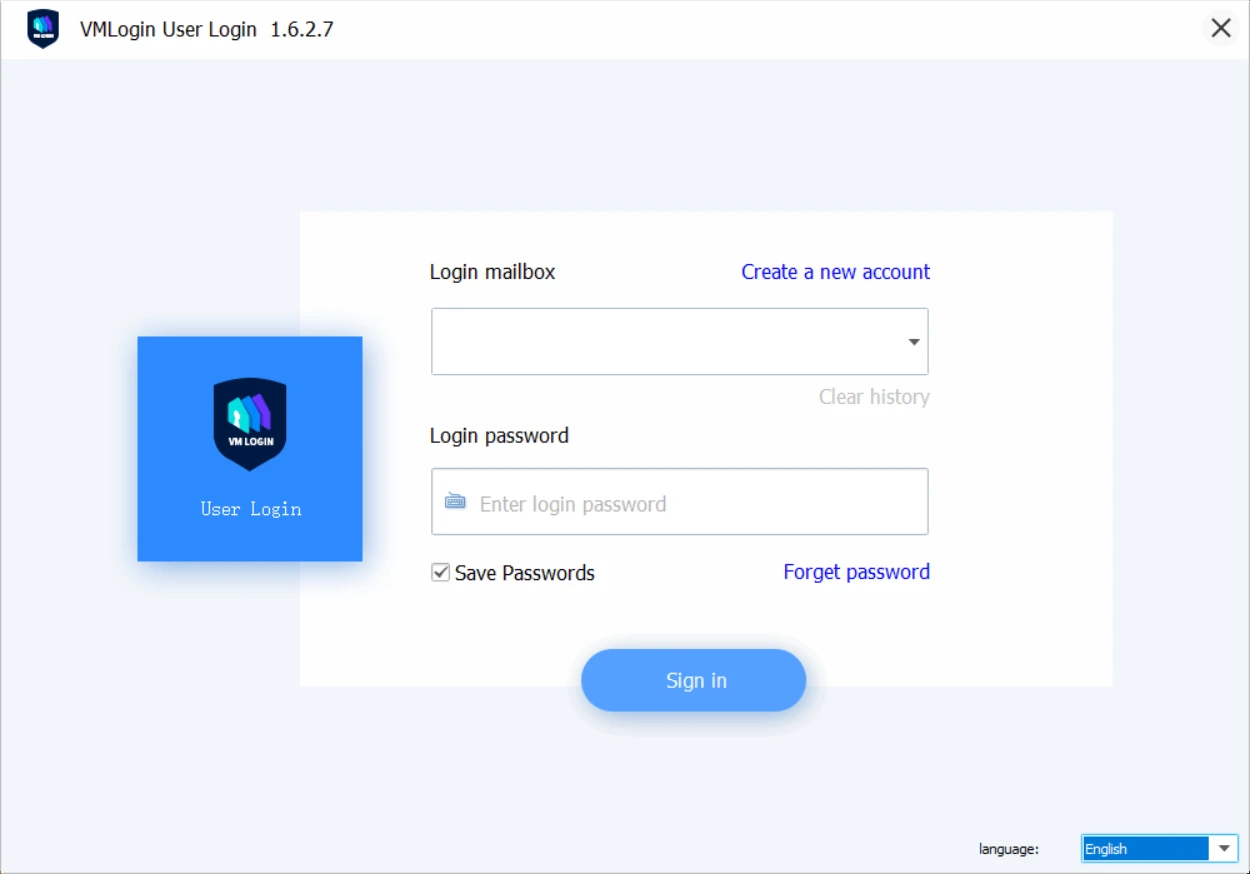
Step 4: Visit the VMLogin official website, download, and install the VMLogin client. New registered users can get a 3-day free trial.
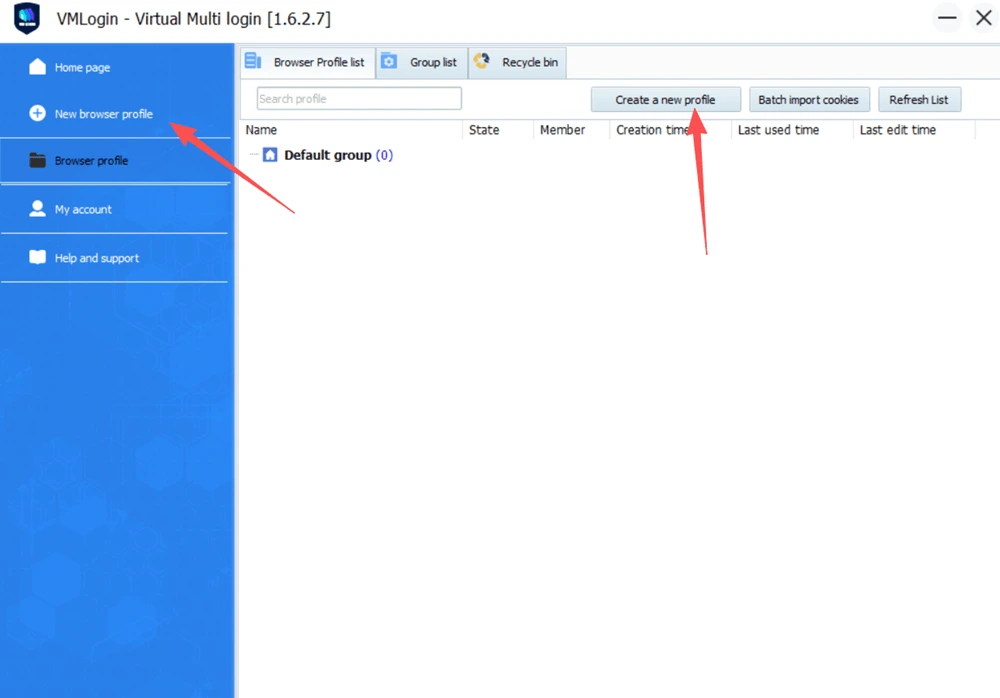
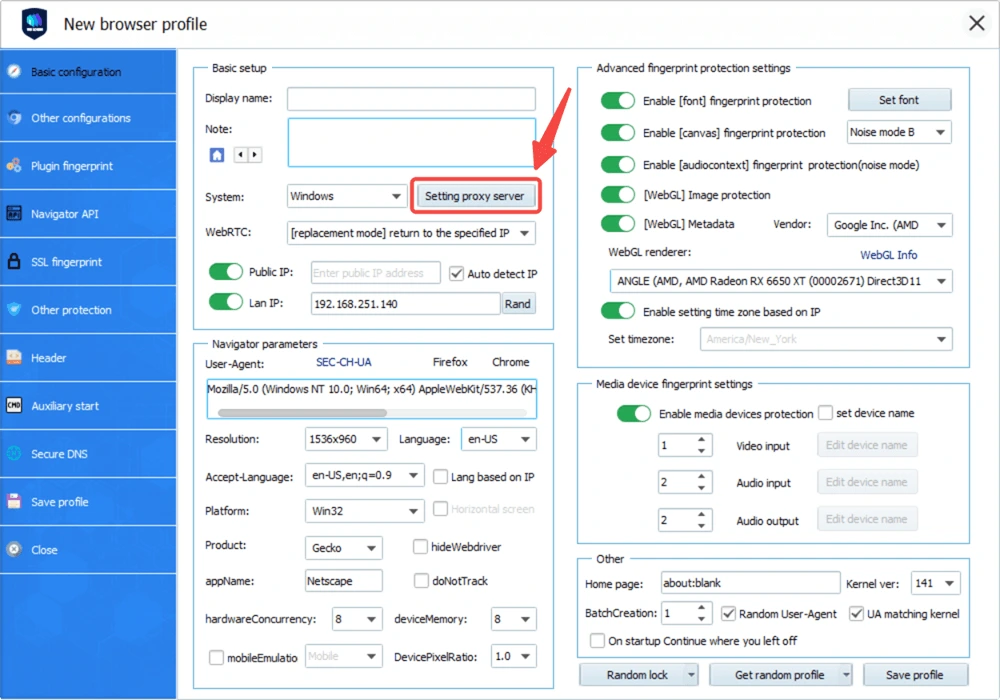
Step 5: Select New browser profile or Create a new profile to create a new browser profile.
Step 6: On the setup window, click Setting proxy server to add the proxy you get from IPcook.
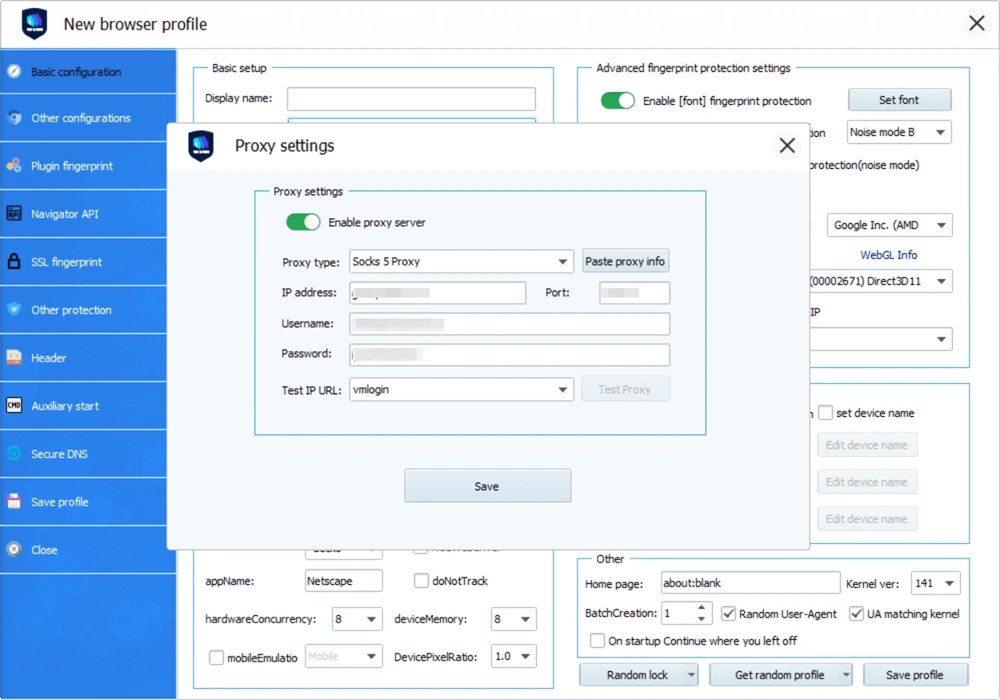
Step 7: Select the protocol of your proxy. Then, enter all your proxy credentials from IPcook, including the IP address, port, username, and password.
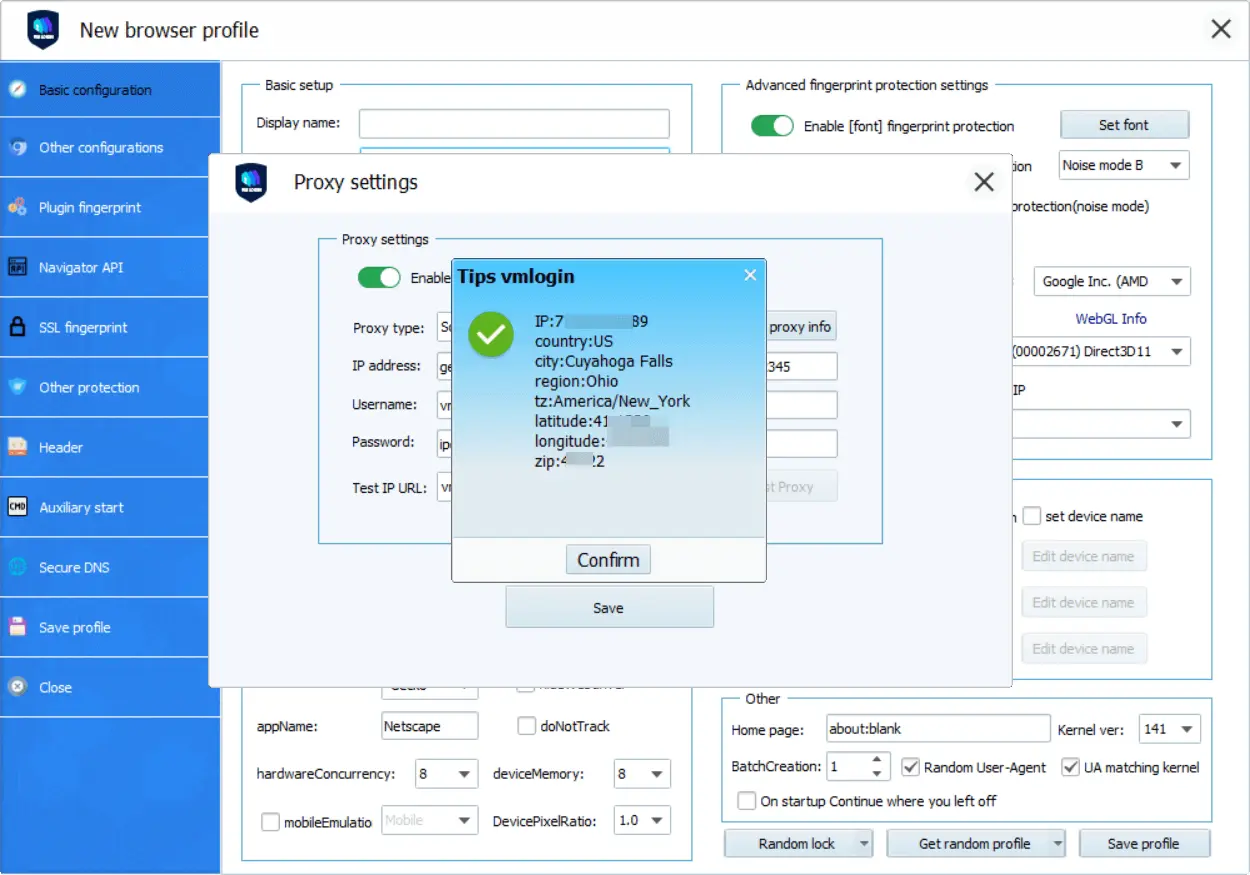
Step 8: Click Test Proxy to test if the proxy really works for the browser profile. If the message below pops up, then the proxy is all good to go! Just click Confirm and then Save. Now the proxy server is well set up. You can open the browser profile to manage your social media accounts safely!
After reading this comprehensive guide, you are supposed to know how to manage multiple social media accounts without getting banned or suspended. The tools introduced, IPcook and VMLogin, are really a great combination that clears the way for you. The proxy service provides you with secure IP proxies, while the browser mimics digital fingerprints. With them, you will never run into the trouble of flagged or banned accounts!