


How to Share Ahrefs Accounts With Your Team

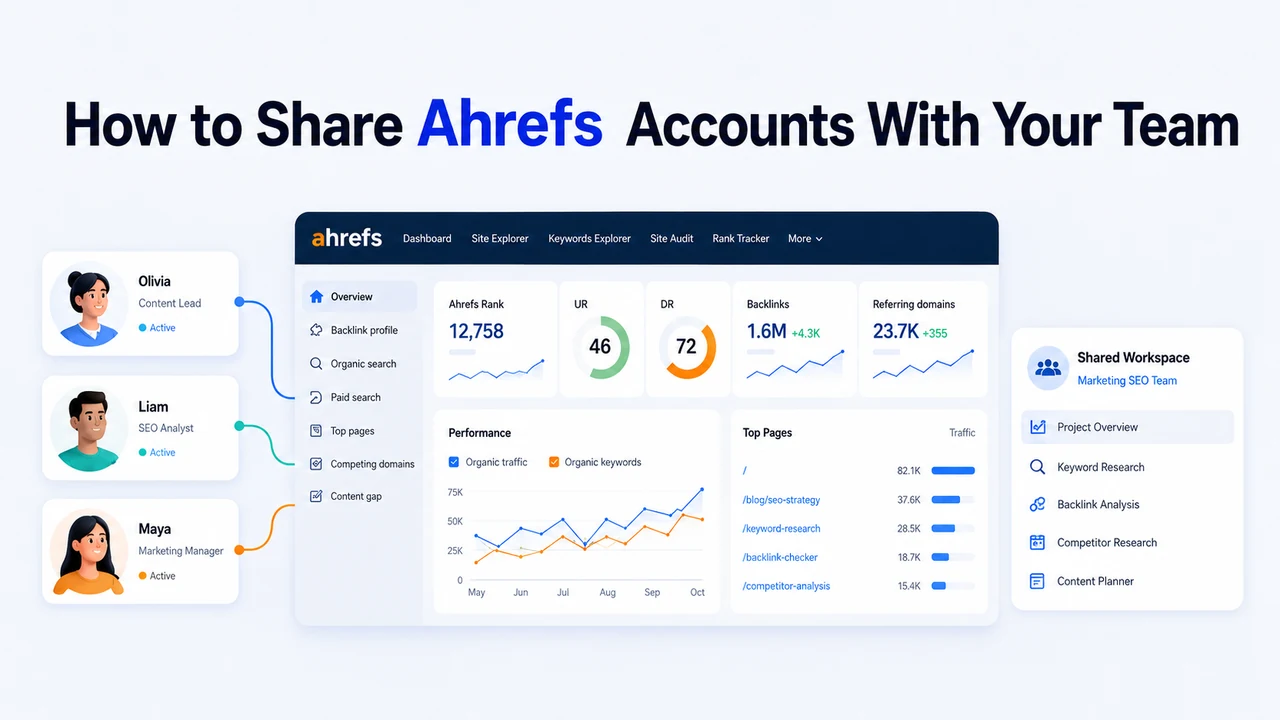
Whether you're part of a small agency, a remote SEO team, or working as a freelance collaborator, Ahrefs is a powerful daily tool for backlinks, keywords, site audits, and content analysis.
But with rising subscription costs and growing teams, sharing Ahrefs access often becomes a smart alternative to adding another paid seat. The same need comes up when agencies log into a client's existing account while managing multiple other accounts at once.
This guide explores common ways to share Ahrefs access to save your time and effort, including how an antidetect browser paired with IPcook Static ISP Proxy can help keep a shared account stable, secure, and free from constant lockouts.
Why Teams Share Ahrefs Accounts
SEO teams often share accounts to make better use of resources and avoid paying for individual subscriptions that are rarely used. It lets members check the data they need without waiting for screenshots or exports. When access is coordinated, the team can work from the same projects and data, keeping analysis and reporting consistent and allowing faster adjustments when new insights come in.
Agencies using a client's existing account. Clients already pay for Ahrefs and just hand their agency the login instead of setting up a new user. The agency then uses that shared account for keyword research, backlink analysis, site audits, or reporting.
Small SEO teams with low, uneven usage. Often only one person on the team touches Ahrefs daily, while content writers, link builders, or managers log in occasionally for a specific task. Paying for a long-term extra seat for someone who logs in twice a month rarely makes financial sense, as the monthly cost can exceed the value of the access.
Freelancers and temporary collaborators. A freelancer might bring in a partner or contractor to run a quick technical audit, pull a keyword export, or check a backlink profile. That access is often only needed for a few hours or a few days, so nobody wants to add a long-term paid seat for one short task.
Ahrefs Pricing and Seat Costs
Ahrefs lets you add extra users on every paid plan, and each additional seat is billed monthly. For a small team adding two or three members, the cost quickly becomes unfavorable.
Ahrefs plan | Base price | Included users | Additional user price |
Lite | $129/month | 1 | $40/month, up to 2 additional users |
Standard | $249/month | 1 | $60/month, up to 5 additional users |
Advanced | $449/month | 1 | $80/month, up to 10 additional users |
Enterprise | $1,499/month | From 3 | $100/month, unlimited additional users |
Official user seats are the clearest option for teams that need independent access, but the recurring cost explains why occasional users often consider other arrangements.
6 Ways to Share an Ahrefs Account
Sharing Ahrefs accounts securely and compliantly is achievable through various methods. These methods prioritize data security and adherence to the tools' terms of service. Here are the six most common Ahrefs Account Share approaches.
Ahrefs' official additional users. Each person gets their own login under your plan, with no shared credentials and no location conflicts. It's the most compliant option, billed as a recurring monthly cost per seat.
Sharing the password directly by email or chat. The fastest way to hand someone access, and also the least controlled. Credentials sit in inboxes and chat logs indefinitely, and every login still comes from a different browser and IP.
Sharing credentials through a password manager. This keeps the password out of chat messages, which helps. It only protects how the credential is delivered, though, not the browser or network environment behind each login.
Using a VPN with a consistent location. Connecting through the same VPN server can make everyone's IP look similar. It does nothing for the cookies, local storage, or browser settings each person's own device still carries.
Remote desktop or a shared virtual machine. Everyone logs into the same computer, so the environment stays genuinely consistent. It just isn't very convenient day to day, with lag, scheduling around one session, and slower collaboration.
Antidetect browser with a static ISP proxy. An antidetect browser profile retains its own cookies, local storage, and browser settings, while a static ISP proxy lets that profile connect through the same IP and region. When access is coordinated, team members open the same saved profile rather than logging in through separate local browsers, so the network location and browser environment stay the same to prevent suspicion detection.
Quick comparison table:
Method | Cost | Login consistency | Main Note |
Official Ahrefs users | High | ★★★★★ | Recurring high seat fees |
Direct password sharing | Free | ★★☆☆☆ | High risk of ban |
Password manager | Low | ★☆☆☆☆ | Easy but still risky |
VPN with a consistent location | Medium | ★★☆☆☆ | Still detectable; risk of ban |
Remote desktop or shared VM | Medium | ★★★★☆ | Slower access, still detectable |
Antidetect browser and static ISP proxy | Medium | ★★★★★ | Avoids IP and fingerprint conflicts |
When a team genuinely needs several people working independently at the same time, official seats are still the most suitable choice. When the goal is occasionally sharing one login environment, an anti-detect browser paired with a static ISP proxy is safer than direct password sharing or a VPN on its own.
Step-by-Step: Share Your Ahrefs Account with IPcook
The best and most cost-effective way to manage shared accounts is to use proxies and anti-detection browsers.
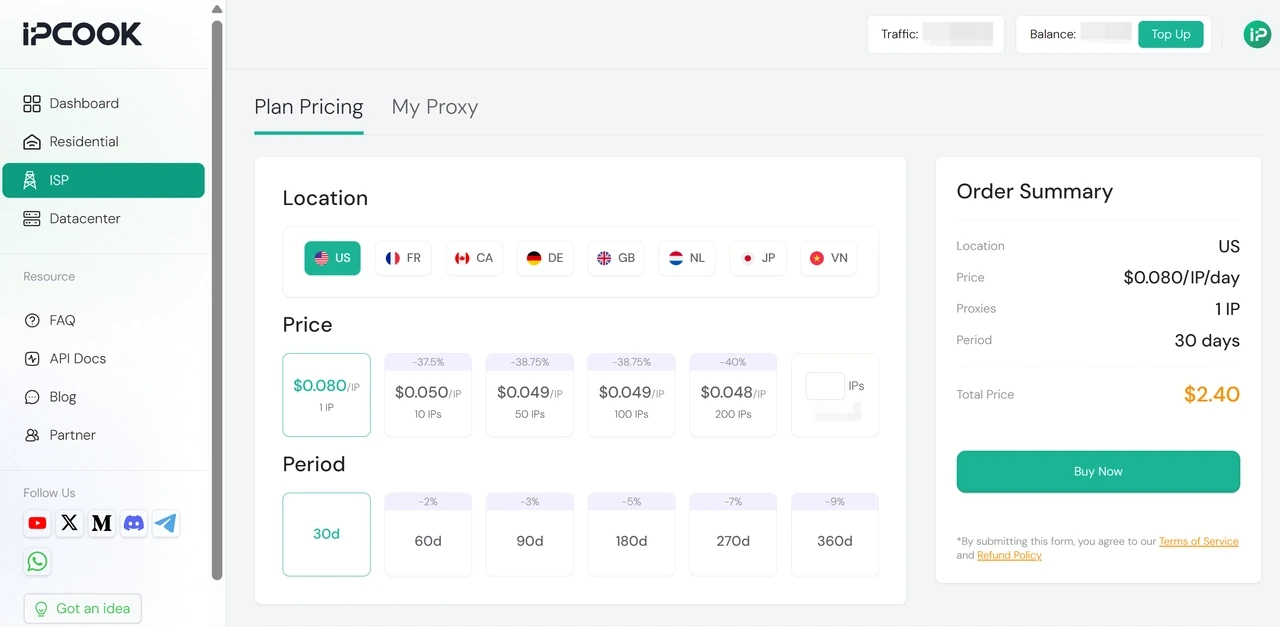
If you need Ahrefs proxies, IPcook is undoubtedly the best choice. Static ISP Proxies start at $0.08/IP/day (only $2.40 for 30 days), with volume pricing down to $0.048/IP/day. Every IPcook proxy is ethically sourced, secure, reliable, and affordable. More and more SEO teams and freelancers are already using IPcook to run accounts.
In this tutorial, we’ll use AdsPower as our anti-detection browser, but you can also use MoreLogin, BitBrowser, or any tool that supports proxy integration and profile sharing.
Step 1. Get a Stable IPcook Proxy
Start in your IPcook account and open ISP Proxy. Choose the location, number of IPs, and period that fit your needs, then complete the purchase.
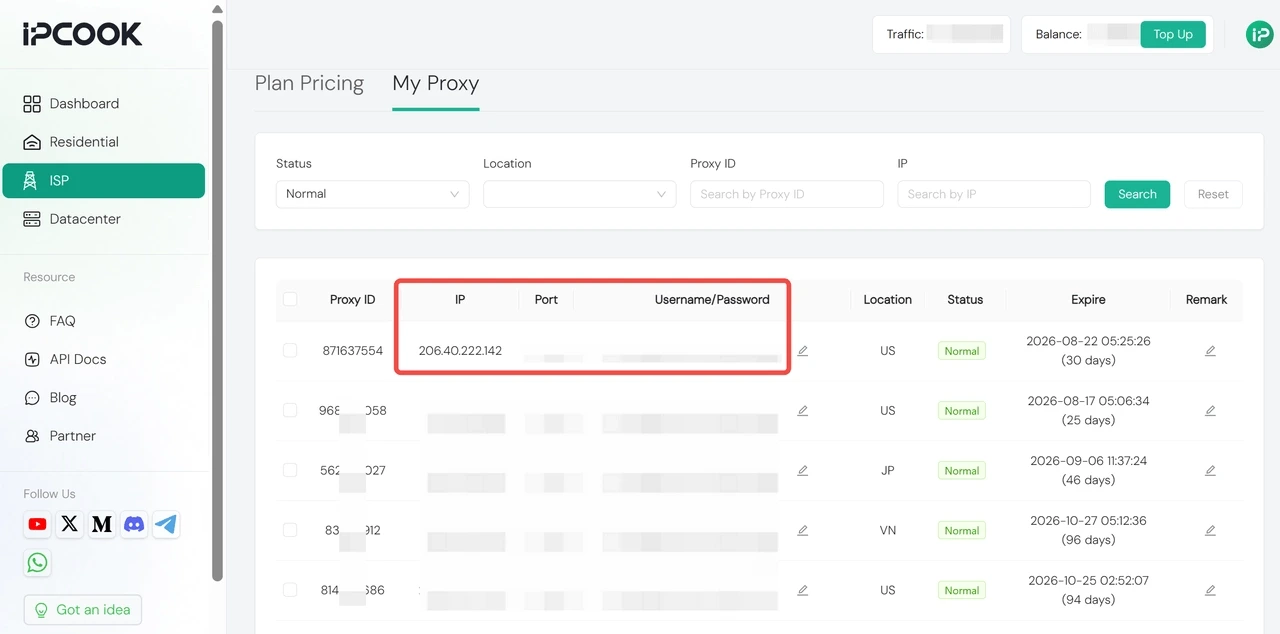
Open My Proxy. Find the proxy you purchased and copy its IP address, port, username, and password. You will enter these details in AdsPower in the next step.
Step 2. Create an Antidetect Browser Profile
Download and open AdsPower, then click New Profile. Give the profile a clear name based on the Ahrefs account, client, or project it belongs to.
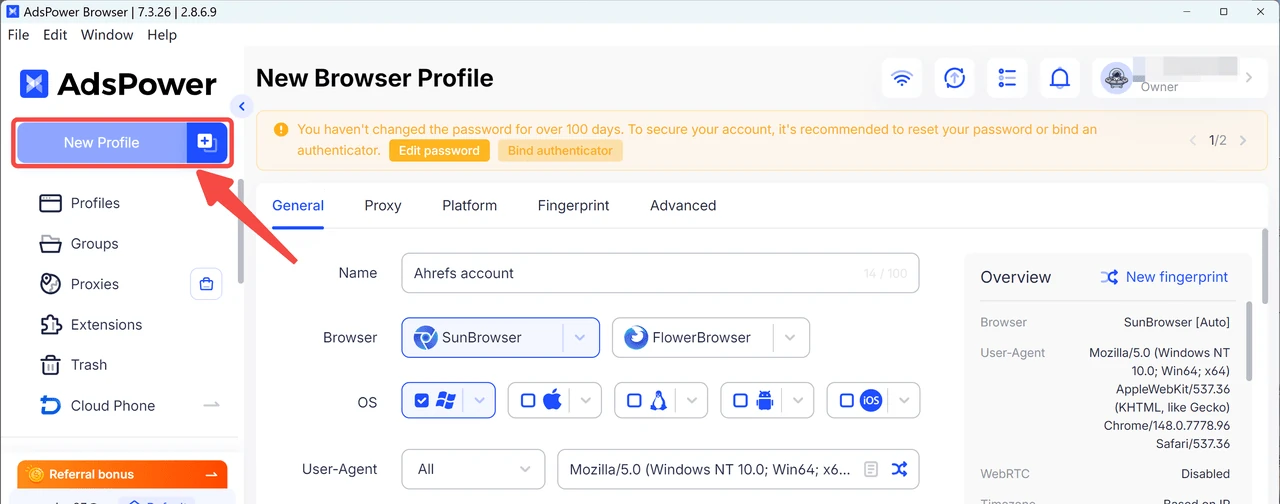
You do not need to adjust every fingerprint option. The default settings are sufficient for most setups.
Step 3. Add and Test the IPcook Proxy
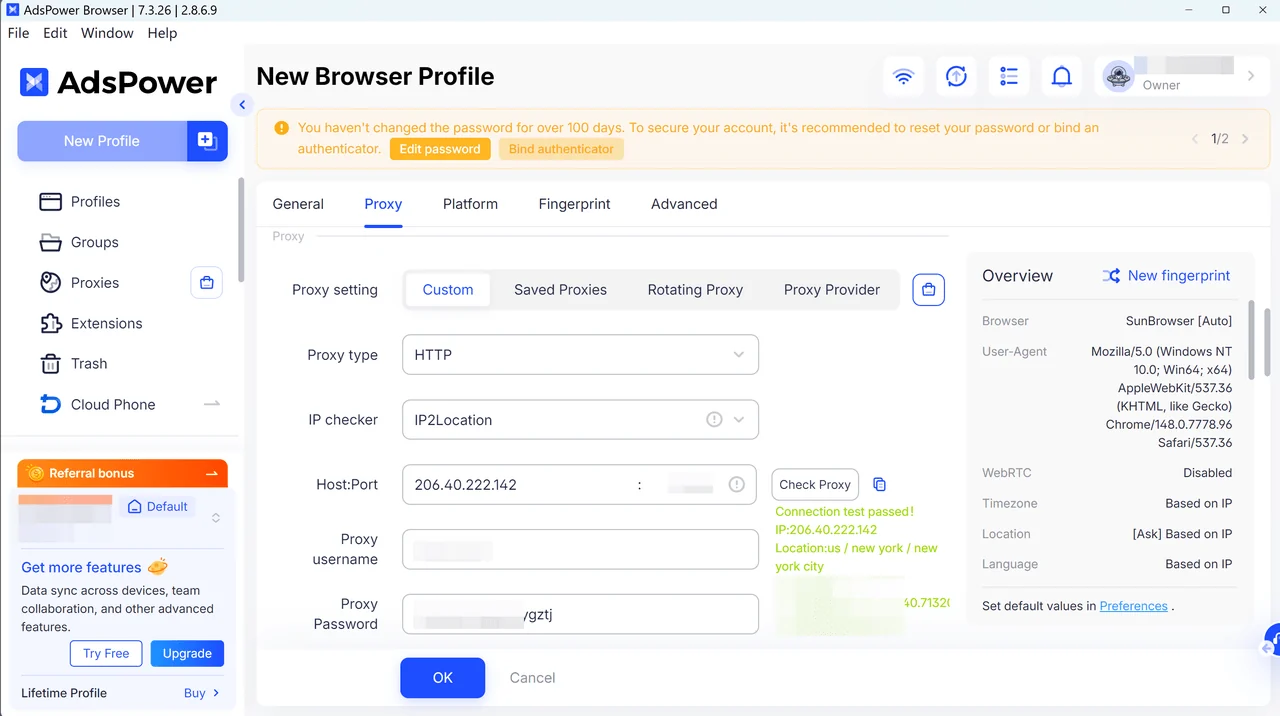
In the new profile, open Proxy settings and paste in the IPcook credentials you prepared earlier. Run the connection test to confirm everything is all set, then click OK to save the profile.
Step 4. Log in to Ahrefs
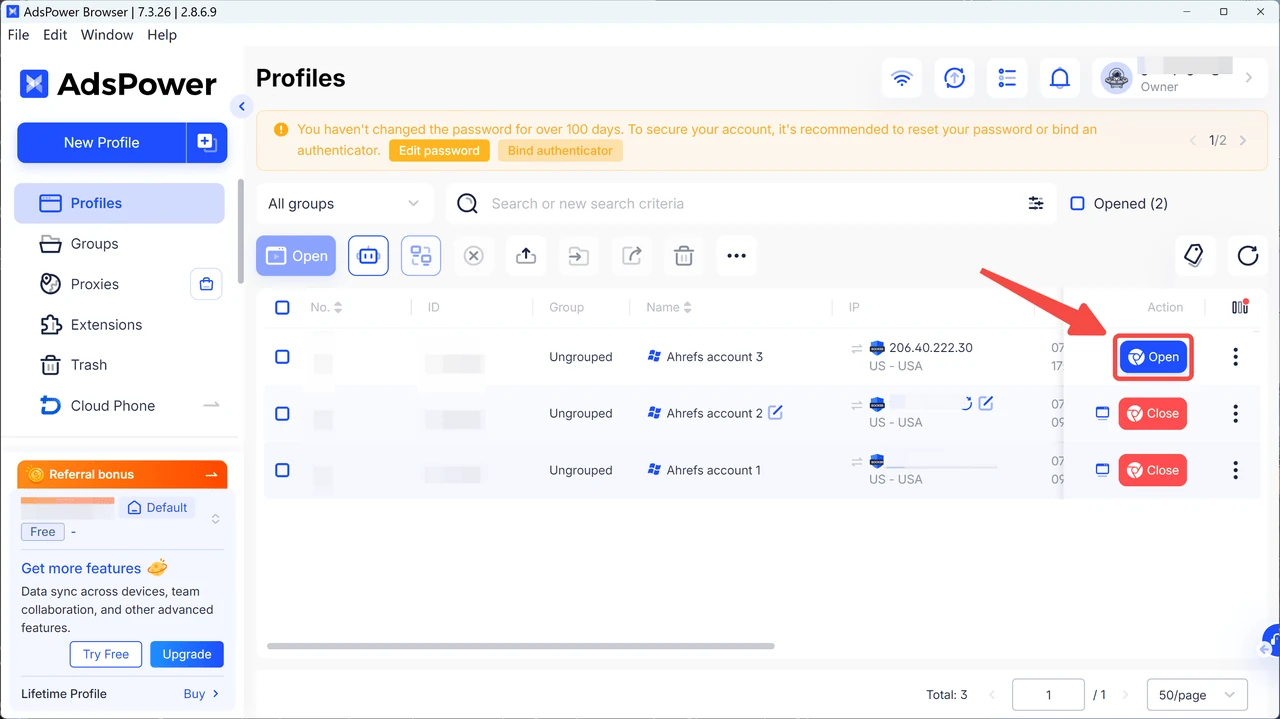
After saving, the new browser profile appears on the Profiles page. Find the Ahrefs profile and click Open to launch it.
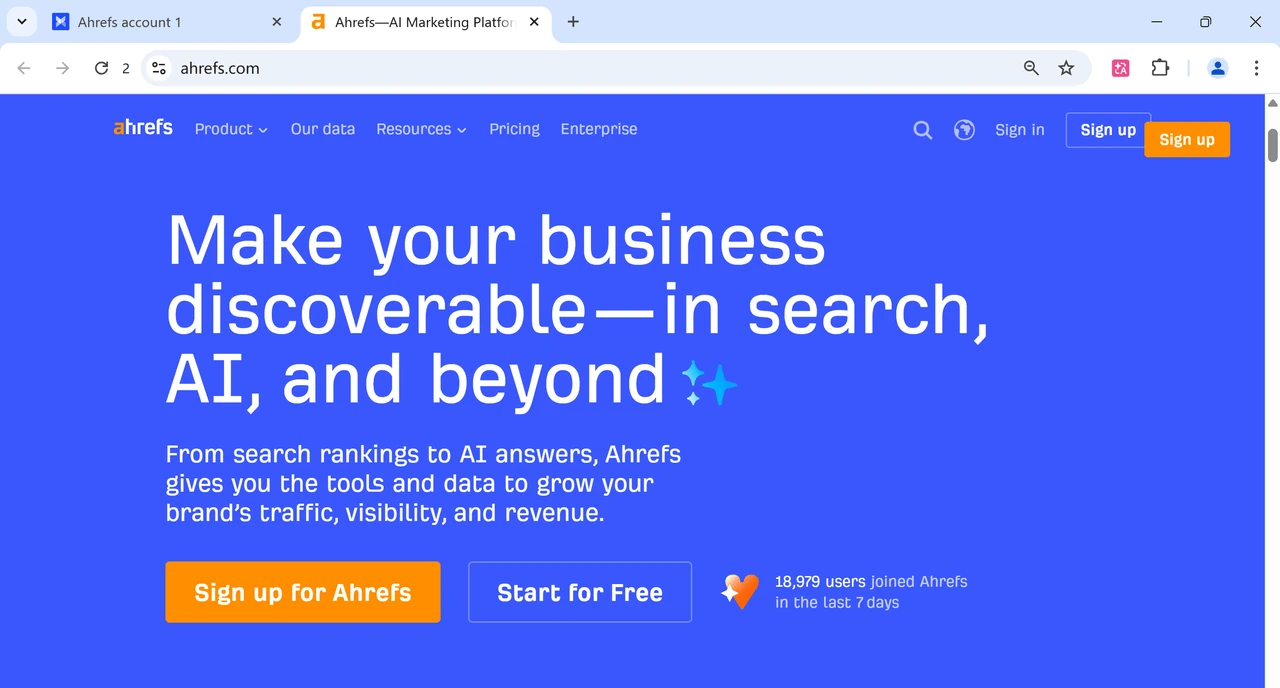
In the new browser window, open Ahrefs and sign in to the shared account as usual. Complete any initial verification that Ahrefs requests.
After completing the initial sign-in, close the profile normally. AdsPower retains the cookies and local storage inside the profile, so the same environment is available the next time it is opened.
Step 5. Share or Assign the Profile
In AdsPower, open Members under the Team section and click New member. Create an account for team members or invite them by email.
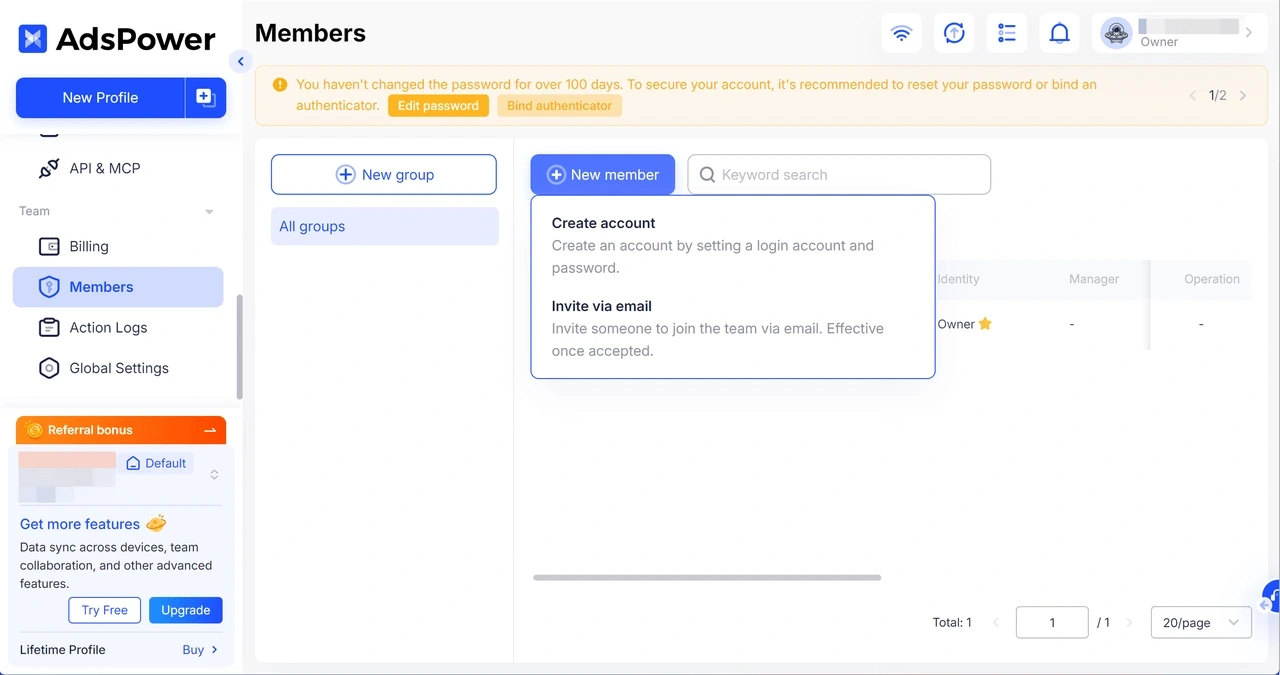
Then assign the member to a group that contains the Ahrefs profile and grant only the permissions they need. Team members can now access Ahrefs through the assigned profile.
Why Shared Ahrefs Logins Get Flagged or Blocked
When an Ahrefs account frequently receives authentication prompts or is eventually restricted, it is usually because unusual login activity has triggered the system's detection mechanisms. Here's what tends to cause it:
Multiple devices open at once. Running the same login on more than one device at the same time can cause session conflicts or trigger another verification request. Team members should coordinate access and close the profile before the next person opens it.
IP address or region change often. Jumping between cities or countries between sessions makes the login environment look inconsistent. Once an Ahrefs profile is connected to a particular ISP proxy, keep using the same IP instead of changing it without a clear reason.
Different browsers and devices each time. When each person signs in through their own local browser, every login uses different cookies, settings, and device details. Sharing one saved profile reduces this variation.
Keeping the same profile and a static proxy reduces how often these signals change, but it does not override Ahrefs' account rules. Always use Ahrefs in accordance with its terms
Conclusion
Sharing an Ahrefs account really comes down to a balance between collaboration, cost, and staying within the rules. Ahrefs isn't cheap, and most SEO teams want real value out of what they're paying for. But treating login credentials casually is exactly what gets an account locked, or worse, banned outright.
Handled properly, though, sharing is manageable. Keep the IP consistent, avoid logging in from more than one place at a time, and your workflow stays smooth without putting the account at risk. IPcook's static ISP proxies make that kind of consistency pretty effortless.
