


Ultraviolet Proxy Review: Current Status, Limits, and Alternatives

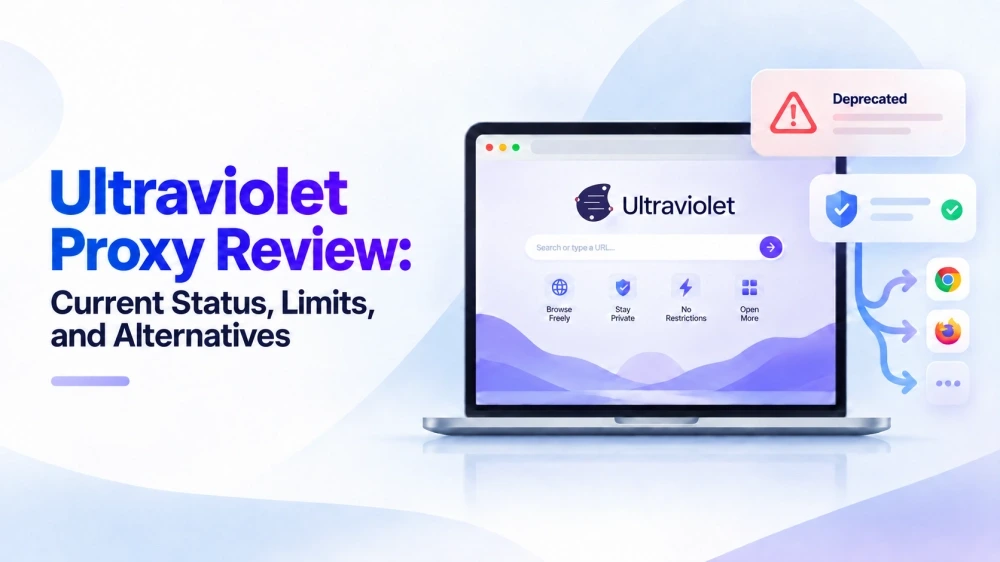
Older Ultraviolet proxy links and setup guides may no longer work as described. The official repository added a warning that Ultraviolet is no longer maintained, and its documentation now lists the project as deprecated. However, deprecation does not mean it has disappeared completely. Its code remains available, and some hosted instances may still work. This guide explains what still works, how to use Ultraviolet now, its current limitations, and a more reliable alternative.
Ultraviolet Proxy Current Status at a Glance
Ultraviolet web proxy has not disappeared completely, but that does not mean the project remains active. Its source code, official support, and independently hosted instances each have a different status. The table below separates these points for a clearer answer.
Item | Current Status |
Project status | 🛑 Deprecated and no longer maintained |
Official support | ❌ No longer provided |
Source code | ✅ Still available |
Existing instances | ⚠️ Some may still be running |
Recommended for new deployments | ❌ No |
Official successor | ➡️ Scramjet |
What is Ultraviolet Proxy and How Does It Work?
Ultraviolet Proxy, often shortened to UV Proxy, is an open-source web proxy developed by TitaniumNetwork. It runs in the browser and is designed to access websites restricted by network filters or load them within a controlled sandbox. It handles only the sites opened through its interface rather than rerouting all internet traffic from your device. You can use a publicly hosted instance or deploy the application and its supporting transport on your own server.
When you enter a URL into an Ultraviolet instance, a service worker intercepts requests from your browser and routes them through the configured transport to the destination website. As the content returns, Ultraviolet rewrites URLs and other page resources so links and scripts continue loading through the proxy rather than connecting to the destination directly.
Is Ultraviolet Proxy Still Working?
Yes, but only in a limited and inconsistent sense. Some existing Ultraviolet instances may still be online and able to open certain websites. However, a working homepage does not mean every destination will load correctly. Logins, videos, interactive features, or recently updated websites may fail.
Ultraviolet unblocker should now be treated as a legacy project rather than an actively supported proxy service. The official Ultraviolet documentation confirms that no further support will be provided. Public instances can disappear without notice, and compatibility problems may remain unresolved. In short, a specific instance may work today, but Ultraviolet is no longer dependable as a long-term option.
How to Use Ultraviolet Proxy After Deprecation
It depends on whether you are visiting an existing instance or maintaining your own deployment. Here are 2 main ways for different purposes:
For Visitors Using a Hosted Instance
Confirm that the instance is still online and uses HTTPS.
Enter the destination website in the proxy's URL field.
Check that the pages, links, and media you need work correctly.
If a page fails, the instance may be broken, the website may be incompatible, or the network may be blocking the proxy domain.
For Existing Ultraviolet Deployments
If you already operate an Ultraviolet deployment, take these steps to keep it running:
Back up the current configuration before making changes.
Update the server environment and dependencies where compatible.
Check that the configured transport is still connecting properly.
Renew the HTTPS certificate and confirm that the domain remains accessible.
Test important websites and browser functions after each update.
Monitor errors and address compatibility issues as websites and browsers change.
Older setup guides may contain outdated packages or instructions, so review each change before applying it. Since official support has ended, ongoing maintenance and troubleshooting are now the operator's responsibility.
Current Pros and Cons of Ultraviolet Proxy
Ultraviolet remains usable in some situations, but that does not make it suitable for every setup. The table below summarizes its practical strengths and limitations in its current state.
Pros | Cons |
✅ Hosted instances work directly in a browser | ❌ Official maintenance and support have ended |
✅ No separate desktop application is required | ❌ Some websites, logins, videos, and interactive features may not work |
✅ Other applications on the device keep their normal connection | ❌ Public instances may stop working without notice |
✅ Some restricted websites may remain accessible | ❌ Third-party instances may have unclear privacy and data-handling practices |
✅ Existing deployments can be self-hosted and configured | ❌ Self-hosting requires ongoing server, security, dependency, and transport maintenance |
TitaniumNetwork now directs users to Scramjet, an experimental interception-based web proxy developed by Mercury Workshop. It uses newer interception, rewriting, and sandboxing techniques and supports a broader range of modern websites. However, it still requires deployment and transport configuration, and its official repository describes it as experimental. You may find the setup too involved if you're not tech-savvy, while its experimental status also leaves you uncertain about future updates.
A More Reliable Alternative: IPcook ISP Proxies
For beginners or anyone seeking a stable connection, a managed ISP proxy offers a simpler setup, a stable IP, and consistent connectivity. Compared with Ultraviolet, it removes the need to maintain a server or transport layer, does not rely on page rewriting, and offers more predictable access. You only need connection details from a proxy provider like IPcook to get started, typically including a host, port, username, and password. These details are then used to configure the proxy in a compatible browser, application, or proxy tool.
IPcook is a reliable proxy provider offering ISP proxies with unlimited traffic, eliminating extra fees based on traffic volume. HTTP and SOCKS5 support allows easy setup across compatible platforms and tools. Its 99.9% uptime and low-latency connections make it suitable for consistent, long-term use. The base rate is $0.05 per IP per day, with lower unit pricing for larger orders, making it a budget-friendly option.
Verdict
Ultraviolet can still work through a properly maintained legacy deployment, but inconsistent compatibility and the lack of official support make it difficult to recommend for new use. Scramjet is the closest successor for developers who still want an interception proxy, but it also requires a self-managed deployment and remains an experimental project. This continuing maintenance burden makes IPcook ISP Proxies a more convenient alternative, with managed infrastructure and stable connections.
