


Bingle Proxy Review: What It Is, How It Works, and Pros & Cons


If you are looking for a quick way to open blocked websites, Bingle proxy often appears as an easy option. It is widely known as a web proxy free tool that runs directly in your browser, without signup or setup. For casual browsing, that level of convenience can feel like exactly what you need. The real question is whether it remains useful once reliability, privacy, or repeat access begin to matter.
We’ll cover what Bingle proxy does well, where it starts to fall short, and when it makes sense to consider a more stable option. If you only need occasional access, you’ll know what to expect. If your needs go beyond that, the sections below point to alternatives that offer more stability and control.
What Is Bingle Proxy?
Bingle proxy is a browser-based free web proxy. It loads websites through a remote server instead of connecting to them directly. Rather than relying on a separate app or changing network settings, everything runs inside a single browser tab. This makes it a common choice for quick, one-off access when speed and convenience matter.
You don’t need to create an account, download software, or adjust system settings. You just need to open the site, enter a web address, and view the page through the proxy connection. The focus stays on short, single-use browsing rather than ongoing access. It trades long-term consistency for instant convenience, which works well for light visits but sets clear limits on how far it can go.
How Does Bingle Proxy Work?
When you use Bingle Proxy, your browser sends requests to a proxy server rather than connecting to the destination site directly. The proxy retrieves the page on your behalf and relays the content back to your browser.
From the destination site’s perspective, the request appears to come from the proxy server instead of your own network. This browser-based, session-level setup limits the connection to a single page load, without carrying over identity or state to future visits.
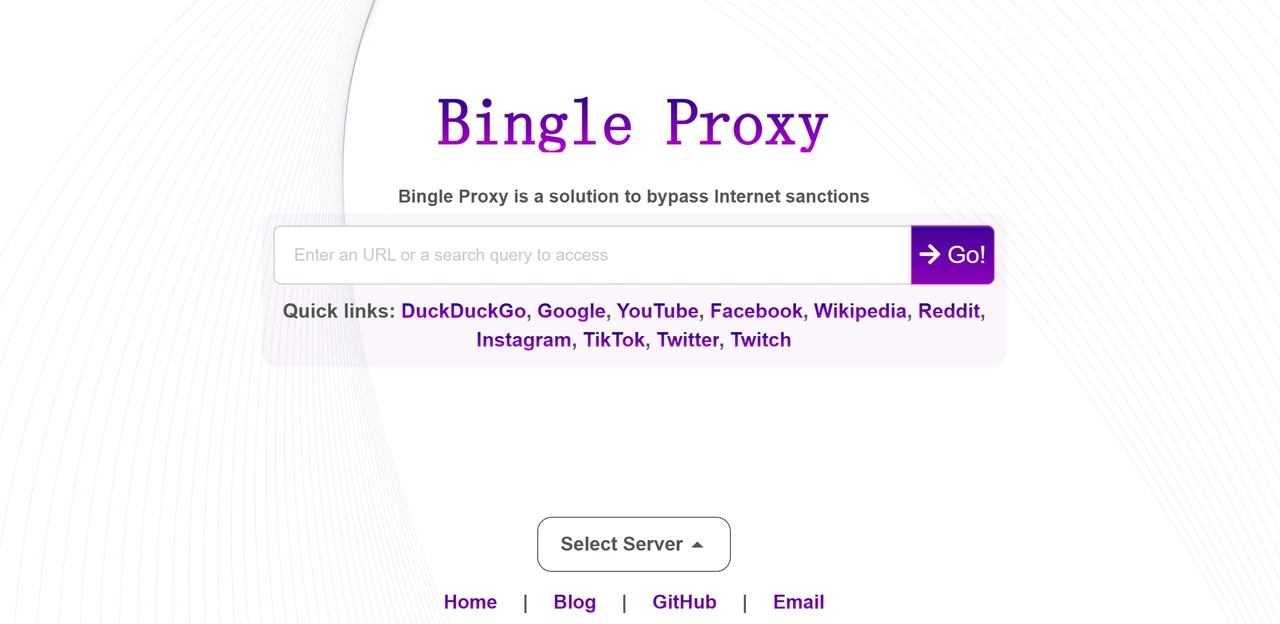
How to Use Bingle Proxy
Now that you understand how Bingle Proxy works, let’s move on to how to use Bingle Proxy. Below is a simple guide to help you get started.
Open the Bingle Proxy site
Open the Bingle Proxy website in your browser. You’ll see a simple page with a field where you can enter a website address or search term.
Enter the website you want to visit
Type the URL of the site you want to access into the input field. Bingle Proxy sets up a temporary connection to retrieve the page for you.
Load the page through the proxy
Submit the request to load the site through the proxy server. The page is displayed in your browser, and the destination site receives the request from the proxy rather than your own IP.
Browse the site normally
Navigate within the loaded site much like you would in a regular browser. The connection applies only to that session and may stop working if the page is refreshed or the link expires.
What Are the Pros & Cons of Bingle Proxy
To make it easier to see if Bingle Proxy suits your needs, we've broken down its key benefits and drawbacks.
Pros of Bingle Proxy
Free and no signup
You can open the site in your browser and start using it immediately, without creating an account or installing anything.
Quick access to blocked sites
It helps open websites restricted on school, work, or regional networks, making it useful for short visits and casual browsing.
Basic IP masking for light use
Your real IP address is hidden during a single visit, which is sufficient for non-sensitive browsing and one-off access.
Cons of Bingle Proxy
Limited privacy protection and transparency
As a free web proxy, Bingle Proxy offers little visibility or control over how traffic is handled. Activities that involve sensitive data or accounts are better avoided.
No session persistence or identity stability
Most web proxies use dynamic IPs that change frequently, the IP address often changes when a new session starts or when a page is refreshed. Also, because many people share the same pool, these addresses are more likely to be flagged or blacklisted. These behaviors may trigger security systems, which leads to account bans or constant verification requests.
Unstable performance under load
Speed and reliability can vary between visits. Media-heavy pages may load slowly, fail to render, or stop working unexpectedly.
No advanced control or automation support
There is no option to manage IP behavior, select locations, or support automated or repeatable workflows.
As a web proxy, Bingle proxy prioritizes speed and ease of access over control or consistency. That balance works for quick, casual browsing, but it becomes a blocker once tasks require stability and repeated access.
👀 Related Reading
A Smarter Upgrade: IPcook's ISP Proxies with Reliable Control
When online access moves beyond one-off visits, Bingle Proxy begins to fall short. Returning to the same sites, staying logged in, or accessing location-specific content requires more than temporary speed. Unlike web proxies like Bingle proxy, premium services provide dedicated resources and high-authority IP addresses. These features allow you to maintain a steady online presence without triggering suspicious activity alerts.
As an excellent premium proxy service, IPcook’s ISP proxies use dedicated IP addresses from real internet service providers. This keeps your IP identity stable across sessions, making repeat access more predictable and reducing disruptions over time. For workflows that depend on repeat access across Instagram, TikTok, Google, LinkedIn, Twitter, and major e-commerce sites, IPcook’s ISP proxies also offer steadier access, just starting at $0.05 per proxy.
Why IPcook’s ISP proxies fit repeat access workflows
Static ISP IPs that stay consistent across visits
Each proxy uses a fixed IP issued by a real ISP, helping maintain the same identity during repeated access and longer browsing sessions.
More reliable access with fewer blocks
Stable dedicated IPs reduce the chances of CAPTCHAs, verification prompts, and sudden blocks compared to shared web proxy addresses.
Coverage across key countries and regions
IPcook supports major locations worldwide, making it easier to access content that depends on where the request comes from.
Simple setup with clear usage control
Proxies can be set up quickly using standard credentials, with a visual dashboard to track status and usage at a glance.
Unlimited traffic for uninterrupted browsing
Sessions are not limited by traffic caps, so pages, videos, and media load without worrying about usage limits.
.webp "ipcook-isp-proxies")
Final Verdict
Bingle Proxy delivers one clear benefit: quick, no-fuss access to a blocked page. As a free, browser-based tool, it works well for casual daily browsing and short visits. Its limits become clear when access needs to stay consistent. Repeated visits, staying logged in, or avoiding frequent blocks are difficult with a temporary, shared connection. In those cases, features such as automation or precise location control may also start to matter. When your needs move beyond a basic browser proxy, IPcook’s ISP proxies offer a more dedicated and stable alternative.
