


Nebula Proxy Review: Is This Free Web Unblocker Worth Using?

Nebula Proxy is not a traditional proxy service with a large pool of proxy servers to choose from. Instead, it is a browser-based web proxy that uses proxy technology to help you access websites that may be restricted on your local network. Since it works through a web interface, you can use it without installing software or changing your device's network settings.
Its simple setup makes Nebula Proxy useful for quick, occasional access, particularly when dealing with school or workplace network restrictions. In this review, we'll look at how Nebula Proxy works, what it can and cannot do, and how to use it.
💡Note: "Nebula" can refer to 2 different tools:
Nebula web unblocker: The browser-based web proxy available at nebulaproxy.io, which this article reviews.
Nebula by Slack: An open-source networking tool designed to connect devices across networks.
What Is Nebula Proxy?
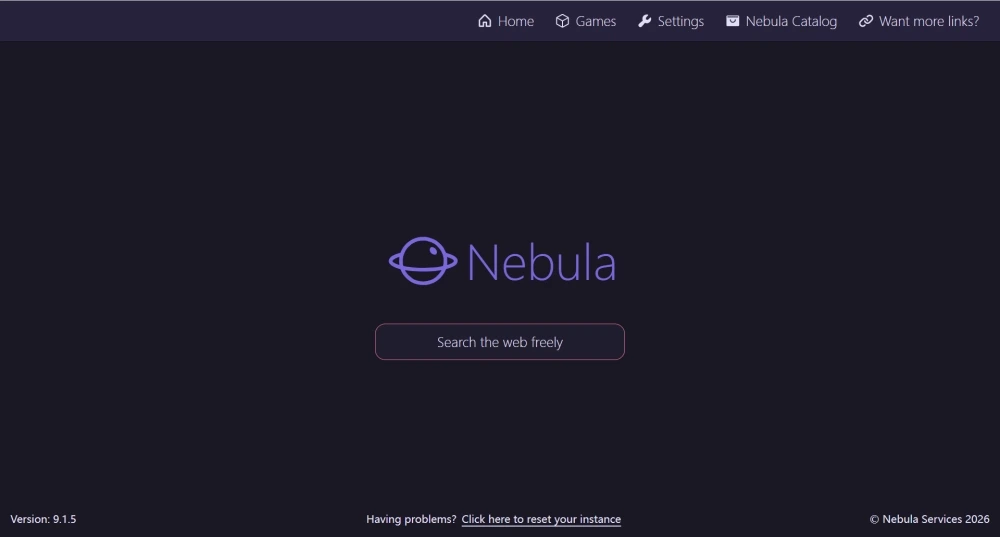
Nebula Proxy is a web-based proxy tool that lets you access websites through a browser interface. If you are searching for Nebula Proxy or NebulaProxy, you may be looking for a way to access websites that are restricted on your current network without installing a dedicated proxy client or changing your device's network settings.
It is not a full browser or a traditional proxy network with dedicated IP pools. It also does not work as a system-level proxy or VPN. Instead, it provides a lightweight web-based access method that retrieves and displays website content through its proxy interface.
Nebula Proxy Key Features
Nebula web proxy is designed around a simple browser-based experience. The following features highlight how the service handles web access and what you can expect when using it.
Web search: Search for websites or content directly from the Nebula Proxy interface.
In-page navigation: Follow links and continue browsing from the proxied page without manually entering every URL.
Browser-based access: Use the service directly in a web browser without installing a dedicated proxy client.
Simple browsing workflow: Combines URL entry, search, and proxied page navigation in one interface.
No registration or login: No account creation or sign-in is required before starting a browsing session.
Nebula Proxy Real-World Performance
In real-world use, Nebula website proxy can handle basic school or workplace network filtering, making it useful for opening websites that are restricted at the network level. For browser-based games such as Roblox and Poki, pages can generally load, but performance may be less consistent, and speeds can feel limited. Video and social media sites are also accessible in many cases, but account login and session-based features can be less reliable.
Performance depends heavily on the proxy instance and the destination website. Shared proxy infrastructure can be more likely to encounter blocks or rate limits, while different Nebula mirrors or instances may vary in availability and responsiveness. As a result, it can work well for occasional web access but may be less suitable when you need stable speed or a consistent connection.
How to Use Nebula Proxy
Nebula Proxy is a web-based proxy that lets you access websites through its browser interface without installing a separate proxy client. You can use it directly from the Nebula Proxy website.
Go to nebulaproxy.io.
Enter the URL or search query you want to access into the Search the Web Freely box.
Press Enter and wait for the results or requested page to load.
Browse the loaded website through the Nebula Proxy interface.
Before using Nebula Proxy: Make sure you are using the official website. Avoid unofficial pages that ask you to install unknown software or browser extensions or provide sensitive account information.
Pros & Cons of Nebula Proxy
This section explains when Nebula Proxy is useful and what limitations tend to appear during normal use.
Pros of Nebula Web Proxy
No installation or system changes required
Nebula Proxy opens through a web page, so there is no need to install software or change system settings. This makes it easy to use on school or work networks where changes are restricted.
Can bypass basic network-level blocking
Traffic is routed through the proxy page, which means local network filters may allow the page to load. This can make some blocked websites accessible without modifying the device or network.
Works well for short and simple access
Nebula Proxy is best suited for viewing a page, checking content, or doing a quick search when long sessions are not needed.
Cons of Nebula Web Proxy
IP addresses may be unstable
Web proxy services may use shared or changing IP addresses, so the IP seen by a website can vary between sessions. This can make it harder to maintain a consistent connection or browsing identity.
Shared IPs can be more easily flagged
A shared IP may be used by many users at the same time. If an IP has already accumulated suspicious traffic, excessive requests, or other unwanted activity, websites may apply additional checks or restrictions even when your own activity is normal.
Less suitable for long-term or repeated access
Changes in IP availability, mirror availability, and connection quality can interrupt longer browsing sessions. This makes a web proxy less suitable for tasks that require a stable connection or consistent IP over time.
Account-based activities may be less reliable
Websites may associate login sessions and account activity with IP and browser signals. Frequent IP changes or shared IP reputation can trigger additional verification, session interruptions, or temporary restrictions on some platforms.
Nebula Proxy Alternative: Try Professional Proxy
Nebula Proxy works well when the goal is simply to open a blocked page. As access needs become more frequent, repeat browsing and longer sessions may require more consistent access. Changing IP addresses can cause sessions to reset and trigger more verification checks. An ISP proxy with a stable and consistent IP identity can be a better fit.
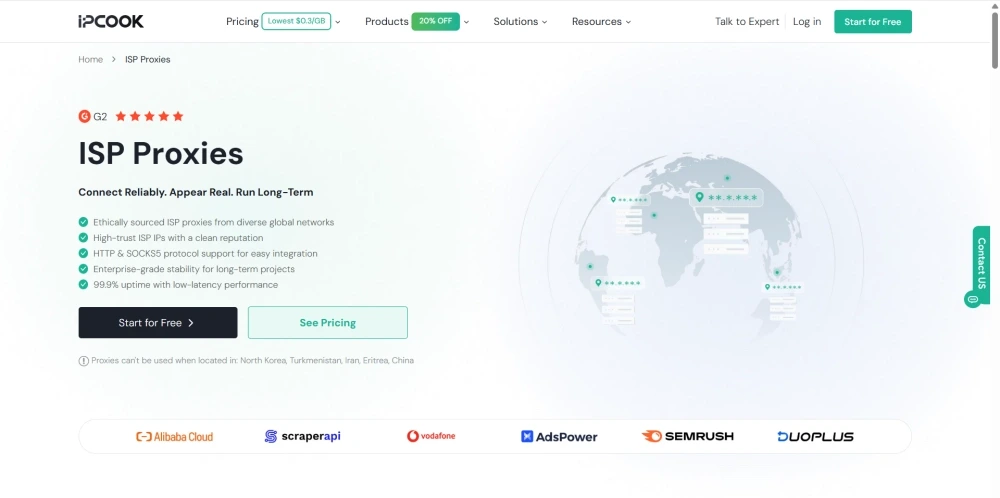
IPcook ISP Proxies offer static IP addresses issued by real internet service providers (ISPs). With unlimited traffic and username/password authentication, you can avoid additional data usage while maintaining secure access. HTTP and SOCKS5 protocol support makes them suitable for different clients and automation tools. As one of the best plain proxy options, IPcook also provides an all-in-one dashboard where you can top up, get your credentials with a single click, and get started quickly.
Other Key Features of IPcook ISP Proxies:
Stable ISP-issued IP addresses: Each proxy keeps the same IP over time, helping maintain more consistent access and reducing issues caused by frequent IP changes.
8 major country locations: Choose IPs from 8 major countries or mix IPs from different countries in the same purchase.
99% uptime: Keeps proxies available more consistently, helping reduce connection interruptions during regular use.
Affordable pricing: Prices start at $0.05 per IP per day when purchasing 10 IPs, with a lower per-IP cost available for larger orders.
Smoother use on social and content platforms: A consistent outbound identity can help support more stable access to platforms such as Instagram, TikTok, and video websites.
Final Verdict
Nebula Proxy works well for short term access when a site is blocked and setup needs to stay simple. It fits occasional browsing on restricted networks where speed matters more than consistency.
Once tasks rely on repeat access, stable sessions, or coordinated use, the limits of Nebula Proxy become easier to notice. IPcook offers ISP proxies when reliability and control start to matter more, making it worth looking beyond a basic web proxy.
