


Doge Proxy Review: What Doge Unblocker V5 Is & How to Use It


Doge Proxy is an open-source web proxy built for browsing sites that a school, workplace, or other local network may block. It works right in your browser, without the usual proxy setup. This Doge Proxy review takes a closer look at Doge Unblocker V5 (the latest version), shows you how to use it, weighs its pros and cons, and explores an alternative when Doge falls short.
What Is Doge Proxy?
Doge Proxy is also known as Doge Unblocker, or DogeUB. It is an open-source internet hub that combines web proxying with apps, games, and personalization tools. At its core, Doge works by loading websites through its own proxy system. You open a hosted instance, enter a website address, and view the returned content inside Doge's browser-style interface. No installation or Doge account is required.
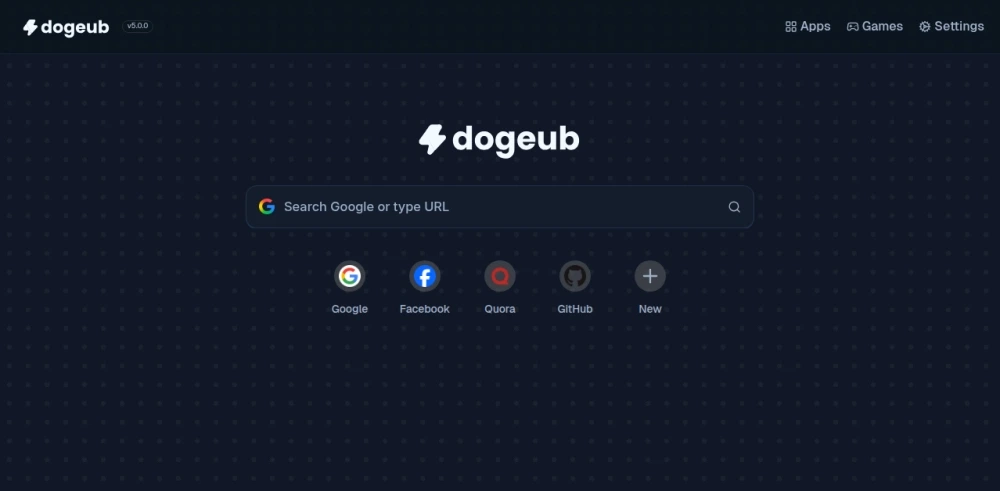
The project's current major release, Doge Unblocker V5, builds on this straightforward setup with the following features:
Multiple proxy engines: Choose between Scramjet, Ultraviolet, or automatic engine selection when loading websites.
Tabbed browsing: Open multiple websites and switch between them through a browser-style tab bar.
Apps and games: Access a built-in content library directly from the Doge interface.
Bookmarks and quick links: Save frequently visited pages and add shortcuts to the home screen.
Interface customization: Change the theme, background design, navigation size, default search engine, and other display settings.
Screen-disguising controls: Customize the tab title and icon, launch Doge through
about: blank, or set a panic shortcut that quickly opens another page.
💡Doge V4 vs. V5: What Changed?
V4: Legacy version built around Ultraviolet, with a simpler static interface and support for deployments such as Vercel.
V5: Current version with multiple proxy engines, a React-based interface, and a persistent Node.js server for deployment.
How to Use Doge Unblocker V5
Using Doge Unblocker V5 is straightforward once you find a working public instance. Follow these steps:
Find an active Doge Unblocker V5 page
Because Doge Unblocker is open source, different communities host separate public instances. Find a current V5 link from a source you trust. If it is unavailable, try another active link.
Open the page in your browser
Open the public instance link and wait for the V5 home screen to load. The standard Doge interface does not require an installation or a Doge account.
Enter the website address
Paste the target URL into the Doge search bar and press Enter. The requested page will load through the proxy interface rather than connecting directly through your local network.
Pros & Cons of Doge Unblocker V5
To help you decide whether Doge Unblocker V5 fits your needs, here's a balanced look at what it does well and where its limits become clear.
Pros of Doge Unblocker V5:
No installation or setup required A public Doge instance runs in your browser without an extension or system-level proxy configuration. This makes it convenient for quick access from a compatible device.
Familiar, browser-like interface Tabs, navigation buttons, bookmarks, and an address bar make the interface easy to understand, even if you have never used a web proxy before.
Quick access through app-style shortcuts Built-in shortcuts provide direct entry points to available websites, games, and web apps. You do not need to locate each destination separately.
Visual discretion tools Tab cloaking, custom titles and icons,
about:blank, and a panic shortcut can change what appears on your screen. These controls disguise the page visually.
Cons of Doge Unblocker V5:
Limited proxy configuration Doge lets you select a built-in engine, but it does not provide the host, port, authentication, or protocol controls available from a conventional proxy service.
No dedicated IP or location controls You cannot reserve an exit IP or choose its country, state, city, or network provider. Those details depend on the instance you open.
Inconsistent access to some websites Websites with complex login systems, strict security checks, or advanced browser requirements may not load or function correctly through the rewritten interface.
Less suitable for persistent or complex sessions Doge is designed primarily for browsing inside its own webpage. It offers limited control for long-running sessions or workflows that need a proxy configured directly in another browser or application.
Why Is Doge Proxy Often Blocked?
Doge Proxy is often blocked because its public domains and shared proxy connections are easy for network filters and websites to identify. In some cases, the link is not actually blocked. The hosted instance is simply offline. The most common causes of access issues include:
Public Doge Proxy links may become unavailable: Community hosts can remove an instance, change its domain, or stop maintaining it. As a result, a link that worked previously may later time out or return an error.
Shared proxy infrastructure may face access restrictions: Many visitors can send traffic through the same hosting infrastructure or exit IP. Destination websites may rate-limit or block that traffic when it appears automated, unusually heavy, or abusive.
School or workplace network restrictions: Managed networks often filter known proxy categories, unfamiliar domains, or the connection methods used by web proxies. A network administrator may therefore block the Doge page or prevent its proxy engine from connecting.
ISP or network-level filtering: An ISP, router, firewall, or upstream network can block a specific domain or connection pattern. This is separate from a restriction imposed by the destination website.
Regional or domain-level restrictions: The destination service may limit access based on the Doge instance's exit location or reject known proxy traffic. Trying another instance may change the route, but it does not guarantee access.
Doge Proxy Alternative: Try IPcook ISP Proxies
Doge depends on a working webpage and gives you limited control over the connection behind it. That can be enough for a quick browser visit, but it is less suitable for regular website access, ongoing login sessions, or tasks that depend on a consistent connection.
A proxy can meet these needs. There are multiple types of proxies, and a static ISP proxy is well suited to Doge Proxy users who need regular access to websites or online games. For example, it may restore access to games such as Roblox when the issue is tied to the current IP. Its stable IP also prevents unexpected address changes, providing a more consistent connection over time.
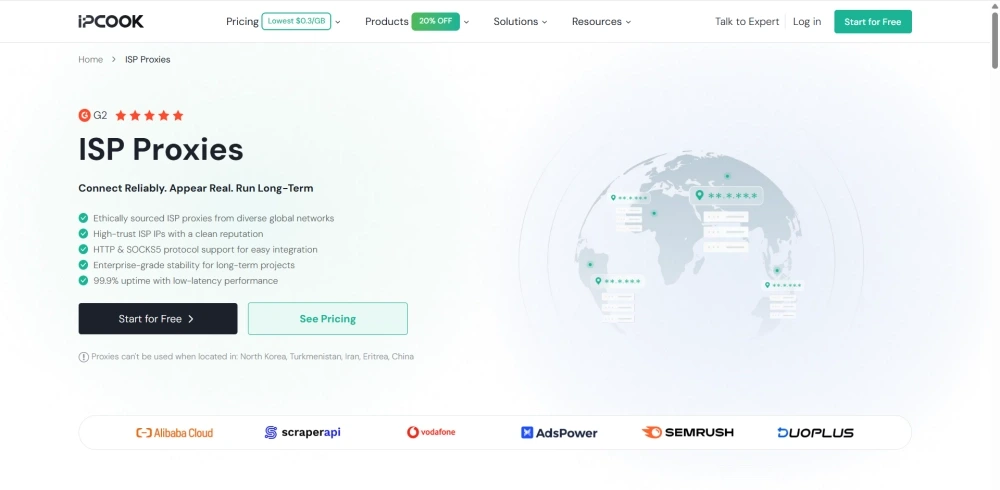
Setting up this connection starts with choosing a proxy provider, which supplies the IP address and login credentials. IPcook is a trusted proxy provider offering static ISP proxies with unlimited traffic, so you do not have to worry about extra charges. HTTP and SOCKS5 support makes the proxies compatible with many browsers, apps, and proxy tools. With 99.9% uptime and latency as low as 50 ms in major regions, it is a practical game proxy option. Pricing starts at $0.05/IP/Day, with lower per-IP rates for larger orders.
Final Verdict
Doge Unblocker V5 is convenient for quick browser-based access when a working public instance is available. Its familiar controls and built-in content suit casual visits, but limited IP control and variable hosting make it less practical for ongoing sessions. When you need a configurable, fixed outbound IP for a supported browser, app, or game, IPcook ISP Proxies offer a more suitable alternative.
