


Rammerhead Proxy Review: What It Is, Pros, Cons & Alternatives


In many cases, rammerhead proxy works quickly at first and opens a site that was blocked before. Over time, access can become less predictable. Rammerhead proxy links may stop loading, sessions can behave differently, or connections drop without warning. That is often when questions start to come up.
This review explains what a Rammerhead session actually does, why public links change so often, and which limits tend to appear once usage becomes repeated. It also helps you decide whether Rammerhead is enough for quick browsing or whether an option with more control is a better fit.
What Is Rammerhead Proxy?
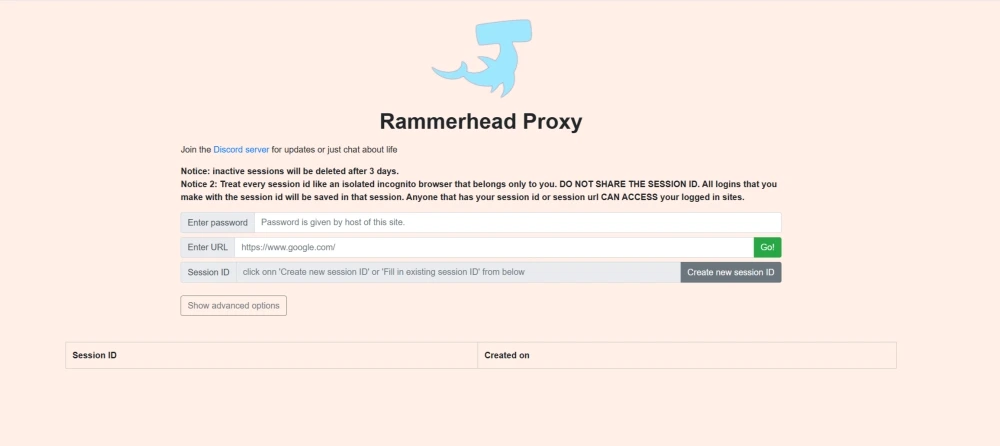
Rammerhead proxy is a browser-based tool that lets you reach websites through a page you open in your browser. When you load Rammerhead, all browsing stays within that page.
Each session acts like a temporary browser space. When it ends, or you start a new one, you may need to log in again or reset your site preferences. Rammerhead is handy for quick browsing, but less ideal when you need a session to stick around.
How Rammerhead Proxy Works
Within an active session, Rammerhead keeps browsing data inside the same temporary space. Cookies and localStorage stay available for as long as the session remains open, so logins and site preferences can carry over as you move between pages. Since you are still in the same session, the site treats the visit as continuous instead of starting fresh on every new page.
That is why Rammerhead can feel smooth during short visits. You can click around without repeatedly starting over. But the session is also the single point of dependency. Access, stored state, and site behavior are tied to it, so when the session ends or restarts, the whole environment shifts. Things can feel consistent within one session, then different once a new session begins.
💡Because Rammerhead is well known, schools and workplaces can more easily identify and block its domains. If you run into connection drops or need stable access to blocked websites, switch to IPcook ISP Proxies. You'll get a lower blocking risk, reliable uptime, and consistent access for the long run.
How to Use Rammerhead Proxy (Step-by-Step)
Using Rammerhead proxy follows a simple flow centered on sessions. Whether you open a public link or use a self-hosted instance, the same basic steps apply.
Step 1: Access a Rammerhead Instance and Enter the Password
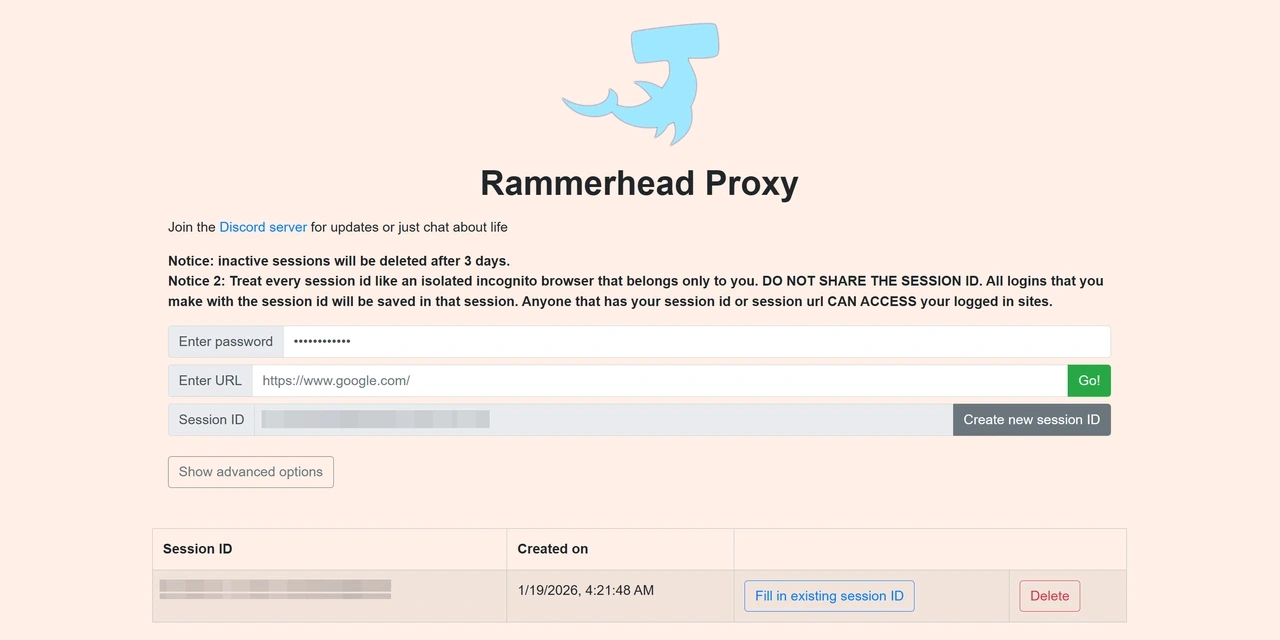
Open an available Rammerhead page in your browser, either a public instance or a self-hosted one. If prompted, enter the access password to reach the main interface. This only unlocks the tool. Browsing starts in the next step. Here is an example of a Rammerhead page.
Step 2: Create a New Session ID
Once inside the interface, you create a new session to begin browsing. Each session is temporary and isolated. It starts clean, stores no long term state, and exists only for the duration of that session. When the session ends, all browsing context is cleared.
Step 3: Browse Websites Through the Proxy
Within the active session, enter the website you want to visit and continue browsing from there. All pages load through the same session until it is closed.
Some sites may still block access or trigger verification challenges, especially platforms with stricter protection.
📌Safety Tips: Keep Your Session Private
Treat each session as private and avoid sharing access details
Be cautious when signing into sensitive accounts on public instances
Close the session after use to keep activity contained
To check IP exposure or connection behavior, you can refer to How to Test Your Proxy for quick verification methods.
What Are the Pros and Cons of Rammerhead Proxy
Rammerhead has its pros and cons. Read on to see what it does well and where it falls short.
Key Advantages of Public Rammerhead Proxies
Easy access for restricted environments: Runs entirely in the browser with no installation, making it usable on locked-down or shared devices such as school or workplace computers.
Basic IP masking for simple blocks: Traffic is routed through a proxy layer so destination sites see the proxy IP instead of your real one. This can help bypass basic IP-based restrictions, though it does not provide strong anonymity.
Works with common network filters: Often effective on networks where direct access is restricted but browser-based proxies are still allowed.
Open source and self-hostable: The project is open source and can be self-hosted, giving technically skilled users more control compared to relying on public instances.
Key Limitations of Public Rammerhead Proxies
Unknown operators: Most public instances are run by individuals or small groups, with limited transparency around ownership, logging practices, or uptime.
Session-dependent access risks: Browsing state and access are tied to a session identifier. If that identifier is exposed or reused, others may enter the same session.
Unpredictable stability: Public instances may reset, slow down, or disappear without notice, with performance varying based on load and availability.
Limited account compatibility: Many major platforms, including Google login flows and social media sites, often fail or behave inconsistently through shared sessions.
Frequent verification challenges: Sites protected by systems like Cloudflare or reCAPTCHA commonly challenge or block access on public Rammerhead instances.
💡Other web proxies follow a similar pattern, where each visit runs in an isolated session and resets once it ends. If you are exploring similar tools, you might also look at Interstellar Proxy, Doge Unblocker V5 Proxy, Bingle Proxy, or Nebula Proxy.
Try IPcook: A More Reliable Alternative for Advanced Proxy Needs
Shared IP addresses and session-based identity make access unpredictable once logins, social platforms, or repeated visits are involved. For these cases, a proxy with a fixed IP and stable identity is a better fit. IPcook ISP Proxies address these limits by using static, dedicated IPs that behave like normal residential connections, making access more consistent across sessions. Pricing ranges from $0.05 to $0.096/IP/day, with unlimited traffic included.
Key features of IPcook ISP proxies:
Static ISP residential IPs: Fixed IPs issued by real ISPs keep the same outbound identity over time, making repeated access more stable.
Clean IP reputation from ISP networks: IPs are managed based on reputation and usage history, lowering the risk of trust score penalties, CAPTCHA challenges, or preemptive blocks.
Coverage across 8 major global regions: Offers IPs in countries including the US, Germany, and Japan for localized content access and region-specific social media tasks.
Unlimited traffic: Removes traffic caps, preventing slowdowns or unexpected cutoffs during extended use.
Conclusion
Rammerhead proxy works for quick access, but once you come back or use accounts, problems appear. Sessions reset, and you lose consistency. If you want stable access across visits, ISP proxies are a better option. With IPcook, you can use static residential IPs that let you keep the same online identity instead of starting over each time.
